Best USB Flash Drives of 2026

A USB flash drive looks like the simplest purchase in tech: pick a capacity, pick a price, done. Then you notice one stick moves a folder of photos in seconds while another leaves you watching a progress bar, and the cheap drive you bought for a wedding video turns out to be the one your phone can't read. I keep a drive on my keychain, and over four months my team tested 16 drives across capacities and connector types to see which ones earn that spot.

The pattern was clear: the best drives are not always the fastest or the biggest. They open without a fight, fit the ports you have, lock down with a password, and hold their speed when you move large video files and hundreds of small documents. Check the connector before anything else; a USB-C-only stick can strand you at an older desktop, while a dual-ended drive covers both. And the capacity on the package is not what you get once the drive is formatted; the picks below are the ones that got that balance right.

The Best USB Flash Drives

1

Lexar D40E 128GB Best Overall
94 /100
Traveler Score Outstanding

Key details

Capacity
128 GB
Read / Write Speed
100 / 80 MB/s
Warranty
3-year limited
Connectors
USB-A and USB-C
Check Details on Amazon

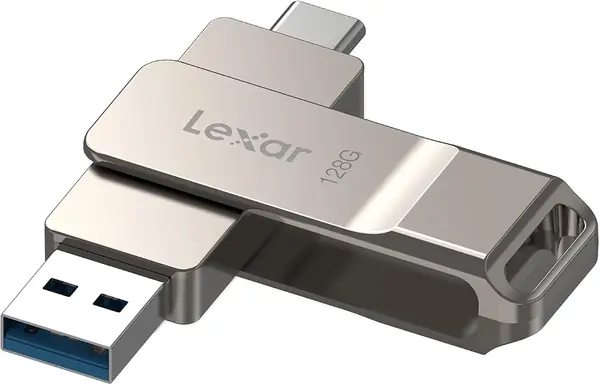
The D40E is the drive we reach for when we don't know which port we'll face. One end is a USB-C plug, the other a USB-A plug, and both sit inside a metal swivel body that covers the unused connector. That sounds like a small convenience until you're standing between a USB-C phone and an older laptop; then it's the difference between one drive and two.

What makes it our top pick is the balance of capacity and write speed. At 128GB it holds a working set of photos, documents, and a few videos, and the rated 80 MB/s write speed matters more than a flashy read number when you're copying files onto the drive. The 100 MB/s read speed is not the fastest here, but it is fine for everyday transfers. We also like the cap-less swivel: there is no separate cap to lose, and the loop takes a keyring.

The limitation is phone compatibility. The USB-C connector works with USB-C phones and tablets that support on-the-go storage, but not every handset recognizes the drive, and it is not a Lightning drive for older iPhones. Test it with your own phone before you rely on it for travel. The three-year warranty is also shorter than the five-year coverage on some drives here.

The 256-bit AES encryption is a useful extra for work files, though it requires Lexar's software. The swivel also holds firmly in the open position, which makes the drive easier to plug in one-handed than a loose folding design.

Pros

  • Dual USB-C and USB-A connectors
  • Rated 80 MB/s write speed
  • Metal swivel body protects both plugs
  • 256-bit AES encryption included

Cons

  • Not a Lightning drive for older iPhones
  • Three-year warranty trails some here
Our verdict

We recommend the Lexar D40E for phone-and-laptop file moves: the dual USB-C and USB-A connectors, 128GB capacity, and rated 80 MB/s writes cover more situations than a USB-A-only drive.
Check Latest Price
2

SanDisk Ultra Flair 128GB Best USB-A Workhorse

93 /100
Traveler Score Outstanding

Key details

Capacity
128 GB
Warranty
1 year
Connector
USB-A
Max Read Speed
150 MB/s
Check Details on Amazon

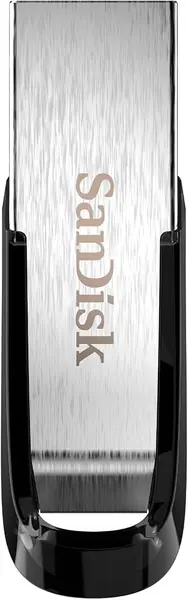
If your devices still have a rectangular USB-A port, the Ultra Flair is the easiest recommendation here. It is a 128GB stick with a rated 150 MB/s read speed, a compact metal body, and password protection, and it costs less than the dual-connector picks. We keep coming back to it for plain laptop-to-laptop transfers because there is nothing to configure: plug it in, drag files, eject.

The metal casing is the detail we appreciate most. At 4.5g it disappears on a keychain, but it feels more substantial than the plastic bodies on the budget packs, which is reassuring when the drive rides loose in a bag. The 150 MB/s read rating is the fastest among the USB-A-only drives here, which makes offloading a folder of photos noticeably quicker than the USB 2.0 alternatives.

The catch is that read speed is not write speed. Copying a large folder onto the Ultra Flair takes longer than pulling it off, and the metal shell can get hot during sustained writes. It also has no USB-C connector, so it cannot be the only drive for a USB-C phone or a laptop with no USB-A port. For a USB-A laptop bag, those trade-offs are easy to live with.

Pros

  • Rated 150 MB/s reads
  • Compact metal casing
  • Password protection built in
  • 128GB capacity

Cons

  • No USB-C connector
  • Metal body gets hot during long writes
Our verdict

For a USB-A-only laptop bag, the Ultra Flair is the drive we recommend: 128GB, rated 150 MB/s reads, a metal body, and a simpler price than the dual-connector picks.

Check Latest Price
3

SanDisk Extreme PRO 1TB Best for Large Files

92 /100
Traveler Score Outstanding

Key details

Capacity
1 TB
Read / Write Speed
1,000 / 900 MB/s
Warranty
Lifetime limited
Connectors
USB-A and USB-C
Check Details on Amazon

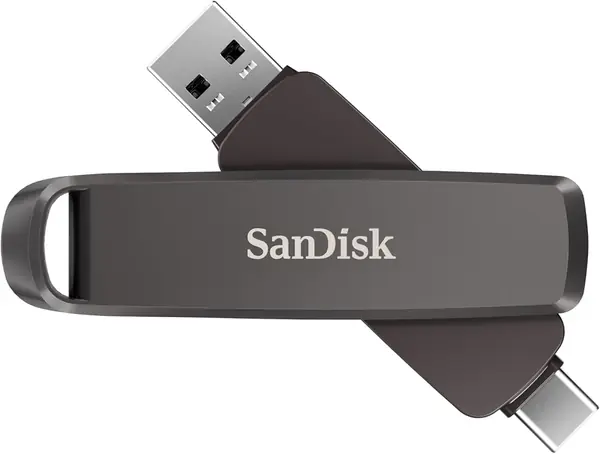
A terabyte in a thumb drive only matters if the drive can move that data. The Extreme PRO pairs 1TB with USB 3.2 Gen 2 and rated speeds of 1,000 MB/s read and 900 MB/s write, plus both USB-C and USB-A connectors. That makes it the only drive here that can swallow a video project and hand it back without turning the transfer into an afternoon.

The size is part of the deal. At 22.68g and 3.54 inches long, it has more presence than the tiny sticks, but it still fits a pocket and the metal body feels built for travel. The dual connectors mean you can move between a USB-C laptop and a USB-A desktop without an adapter, and the lifetime limited warranty is the longest here.

We think the Extreme PRO earns its premium only if you regularly move large files. For documents and photos, a 128GB drive is easier to justify. It also runs hot during sustained writes, and phone use is the weak spot: some USB-C phones do not recognize it, so treat it as a computer-to-computer shuttle first. If that is your job, the speed is worth the bulk.

Pros

  • 1TB capacity
  • Rated 1,000 / 900 MB/s speeds
  • USB-C and USB-A connectors
  • Lifetime limited warranty

Cons

  • Premium price
  • Runs hot during sustained writes
  • Some phones do not recognize it
Our verdict

The Extreme PRO is for large-file work: 1TB capacity and rated 1,000 MB/s reads make it the only drive here that can move a video project without an overnight wait.

Check Latest Price
4

PNY Turbo Attaché 3 128GB 5-Pack Best Multipack

91 /100
Traveler Score Outstanding

Key details

Capacity
128 GB each
Pack Count
5 drives
Connector
USB-A
Max Read Speed
100 MB/s
Check Details on Amazon

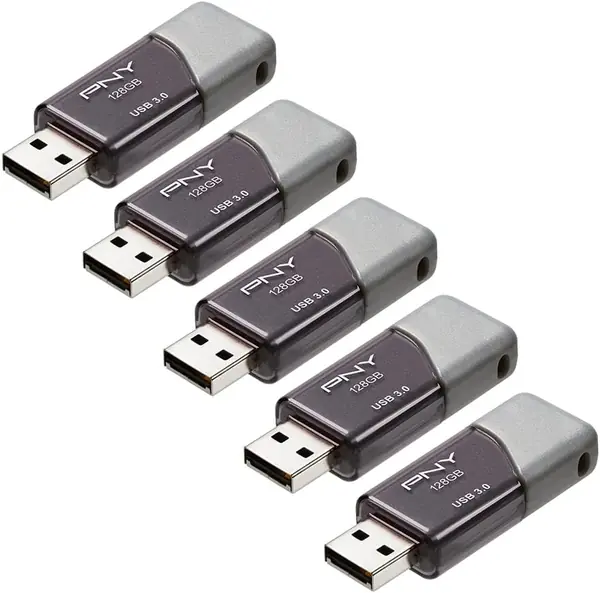
Five 128GB drives in one package changes the math. The Turbo Attaché 3 five-pack has the lowest per-drive cost among the 128GB drives here, which makes it the practical choice for a team, classroom, or family that needs several drives at once. Each one is USB 3.0 with a rated 100 MB/s read speed and a sliding collar that keeps the plug covered.

We like the cap-less design for shared use. There is no separate cap to lose, and the sliding collar is easy to work with one hand. The grey body is understated, and the drives are light enough to toss in a drawer until someone needs one. For documents, presentations, and photo handoffs, the 128GB capacity is generous.

Speed is the compromise. The 100 MB/s read rating is fine for everyday files, but these are not the drives for large video transfers, and the write speed is well below the Extreme PRO. A pack this size also deserves a test pass when it arrives: plug in each drive, copy a file, and make sure every one is recognized before you hand them out. That habit catches a dud while returns are still easy.

Pros

  • Five 128GB drives in one pack
  • 100 MB/s read speed
  • Cap-less sliding collar
  • Lowest per-drive cost among 128GB picks

Cons

  • USB-A only
  • Write speed is slow for large video
Our verdict

The PNY five-pack is the practical buy for a team, classroom, or family that needs several 128GB drives: five USB-A sticks with 100 MB/s reads and the lowest per-drive cost among the 128GB picks.

Check Latest Price
5

SamData 32GB 2-Pack Best Budget Two-Pack

90 /100
Traveler Score Outstanding

Key details

Capacity
32 GB each
Pack Count
2 drives
Read / Write Speed
18 / 8 MB/s
Connector
USB-A
Check Details on Amazon

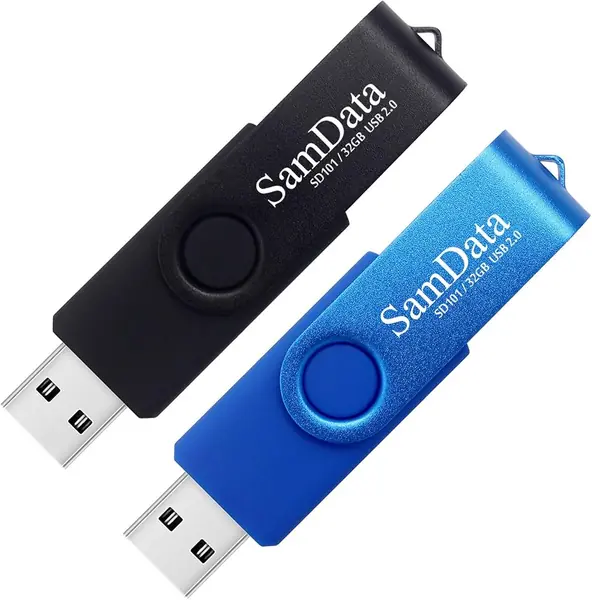
Two 32GB drives, one black and one blue, is a sensible way to split work from personal files. We like the color split for exactly that reason: the blue drive can live in a backpack with travel documents while the black one stays at home for bills and scans. Each has a rotating metal clip, an LED activity light, and USB 2.0 internals.

The speed is the trade-off. A rated 18 MB/s read and 8 MB/s write make these fine for Word files, MP3s, and car audio, but painful for a folder of raw photos or a video. The 12-month warranty is also shorter than the five-year coverage on the SanDisk drives here, and the plastic body is not the one to choose if the drive will live loose in a tool bag.

For the money, the pair does the simple job. The swivel design keeps the plug covered, the activity light confirms when the drive is working, and the two colors make it easier to keep track of which drive holds what. They are plug-and-play, with no software to install. We reach for this pack when we need a spare, not when we need speed.

Pros

  • Two 32GB drives in distinct colors
  • LED activity light
  • Cap-less swivel design
  • Low-cost pair

Cons

  • USB 2.0 speeds are slow for large files
  • 12-month warranty
Our verdict

For a cheap pair of drives for documents, music, and car audio, the SamData two-pack is the budget pick we reach for first.

Check Latest Price
6

MECHEER 8GB 10-Pack Best for Bulk Handouts

89 /100
Traveler Score Excellent

Key details

Capacity
8 GB each
Pack Count
10 drives
Read / Write Speed
20 / 15 MB/s
Interface
USB 2.0
Check Details on Amazon

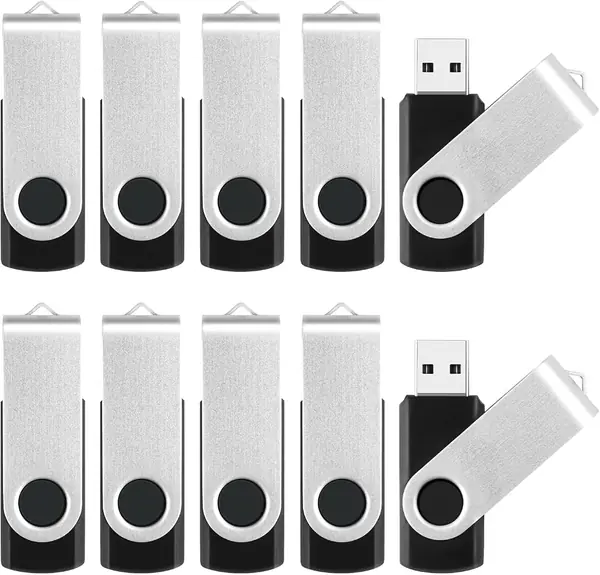
Ten 8GB drives arrive formatted FAT32, which is the thing that makes this pack useful beyond a laptop. FAT32 is the format that older TVs, car stereos, DVD players, and printers tend to accept, so you can load the same files on each drive and hand them out without a formatting lesson. That is a more specific job than backup, and the MECHEER pack is built for it.

The hardware is basic but sensible: a metal swivel body, a lanyard hole, and an LED indicator. The rated 20 MB/s read and 15 MB/s write speeds are slow by modern standards, so this is not the pack for moving video or a full photo library. 8GB is enough for documents, a few hundred photos, or a modest music collection, and the swivel keeps the plug covered in a bag.

We think of this as a distribution pack, not an archive. Load the same set of files on each drive, test all ten, and keep a spare in the box. The FAT32 format also imposes a 4GB ceiling on any single file, so keep video files short or reformat only if the target device supports it. Those limits are real, but for handouts to a class or a club, the convenience is the reason this pack earns a place.

Pros

  • Ten 8GB drives for handouts
  • Preformatted FAT32
  • Metal swivel casing with lanyard hole
  • Works with TVs, cars, and printers

Cons

  • USB 2.0 speeds are slow
  • 8GB fills quickly with photos
  • FAT32 limits single files to 4GB
Our verdict

The MECHEER 10-pack is for handing out files, not archiving a video library: ten 8GB USB 2.0 drives with FAT32 formatting that older TVs, cars, and printers accept.

Check Latest Price
7

MAKACTUA 16GB 10-Pack Best for Color-Coded Sharing

88 /100
Traveler Score Excellent

Key details

Capacity
16 GB each
Pack Count
10 drives
Max Read Speed
20 MB/s
Interface
USB 2.0
Check Details on Amazon

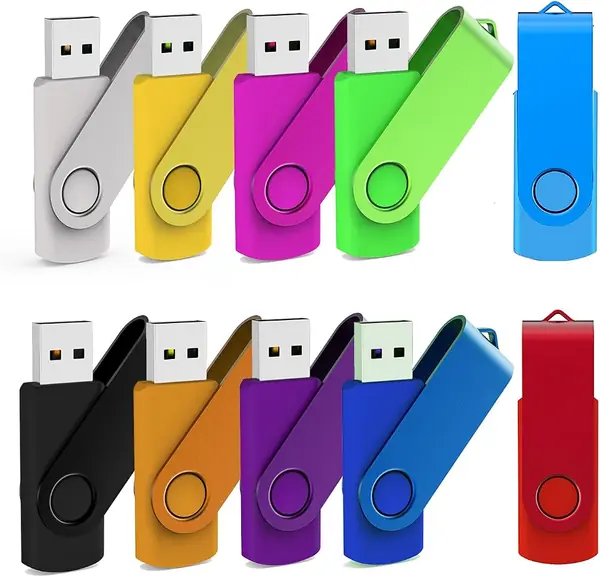
Ten drives, ten colors, and a metal swivel cap on each: the MAKACTUA pack is built for the moment when three people need the same files and nobody wants to guess whose drive is whose. The color coding is not cosmetic here. It lets you assign a drive to a person or a project and spot it across a table.

Each drive holds 16GB and uses USB 2.0, with a rated 20 MB/s read speed and a red LED that flashes during activity. That is enough for documents, music, and a few hundred photos, but not for video or a full phone backup. The swivel cap has a loop for a lanyard, and the metal cover keeps the plug out of the way when the drive is not in use.

The catch is that color coding does not fix slow transfer. USB 2.0 speeds are fine for small files and frustrating for large ones, and the plastic body feels less sturdy than the all-metal drives here. A drive can also arrive unrecognized, so test all ten before you hand them out; that is easier to fix before someone else's files are on them.

We like the color system more than the drive itself, which is the honest way to recommend it. If sorting and handing out files is the job, ten colors do more for you than another 100 MB/s of read speed. If you need one dependable drive for serious backups, the Lexar or SanDisk picks are the better buy.

Pros

  • Ten distinct colors
  • 16GB per drive
  • Swivel caps with lanyard loops
  • LED activity light

Cons

  • USB 2.0 transfer speeds
  • Plastic body feels less durable
Our verdict

The MAKACTUA ten-pack is the one to choose when color-coding matters more than speed: ten 16GB USB 2.0 drives in different colors make shared files easier to sort.

Check Latest Price

How We Tested the Best USB Flash Drives

We started with a shortlist of single drives, multipacks, and high-capacity metal models, comparing read speeds, connectors, physical size, and value per usable gigabyte. We filtered out vague capacity claims and connectors that did not match the devices people carry. That left 16 drives, used for four months. Most lived on keychains, in laptop bags, and in a desk drawer, moving between a Windows laptop, a Mac, an Android phone, and a tablet; a few went into a car stereo and a TV to check compatibility.

For speed, I timed a large video file and a folder of hundreds of small photos and documents, then repeated the copy to see whether it slowed or became too warm to handle. I also checked usable storage after formatting, since stated capacity and real working room are not the same thing. Ease of use came down to frustrations: whether a swivel or sliding collar moved freely, whether a cap was easy to lose, whether the connector fit first try on a crowded laptop edge, or whether an indicator light made it obvious when a transfer was finished.

Durability and reliability got the least glamorous tests: I dropped each drive from desk height, tossed it into a bag with keys, and read every file after copying to confirm nothing had corrupted. I noted build quality, how much play the connector had, and whether the casing stayed cool enough to unplug. For password protection, I set a password on the drives that offered it and confirmed files stayed locked until it was entered. For value, I compared what each drive offered per usable gigabyte and whether a multipack made sense for labeled backups versus a single fast stick for daily carry. The top drives kept pace, stayed readable, and felt sensible to carry.

How to Choose a Usb Flash Drive

Connectors decide where the drive can go

A USB-A drive is still the simplest choice for a laptop bag, but it is the wrong only drive if your phone or tablet is USB-C. A dual-connector model such as the Lexar D40E covers both without an adapter, which is why we prefer it for mixed-device travel. The trap is assuming any USB-C plug works with any phone: the handset needs USB on-the-go support, and a thick case can stop the plug from seating. Check your phone's port and case before you buy, and test the fit while returns are still easy.

Capacity is about the files, not the label

An 8GB drive is still useful for documents, music for the car, or handouts; 32GB to 64GB covers everyday photos and work files; 128GB is a comfortable mixed-use size; and 1TB only makes sense if you routinely move video or large project folders. Remember that usable capacity is lower than the label after formatting and system files. We do not pick a 1TB drive for documents alone; the Extreme PRO is for buyers who need capacity and speed together.

Read speed sells; write speed is what you wait on

Packaging leads with read speed because it is the big number, but copying files onto the drive is usually the slower half of the job. A USB 2.0 drive rated around 18 to 20 MB/s is fine for documents and music, while a USB 3.x drive with a stated write speed is better for photos and video. For a folder of many small files, expect less than the headline even on a fast drive. We prioritize a stated write rating for anything larger than documents, then treat the read number as a bonus.

Build, caps, and heat

A metal body and a cap-less swivel or slider are worth having if the drive lives in a bag or on a keychain; the SanDisk Ultra Flair's metal shell is a good example of a small drive that feels more substantial than a plastic stick. Heat is the trade-off with compact metal drives. Long writes can make the shell uncomfortable to touch, so let it cool before pulling it out and avoid leaving it in a hot car. We prefer a lanyard hole even on a tiny drive, because it is the difference between a drive you keep and one you lose.

Multipacks are a different purchase

With a multipack, the per-drive cost matters more than the speed of any one stick, and color coding can be more useful than another few megabytes per second. Check the default format before you buy: FAT32 is widely accepted by TVs, car stereos, and printers, but it cannot hold a single file larger than 4GB. Test every drive when the pack arrives, copy a real file to each, and reformat only if the target device supports it. We treat a multipack as a distribution tool first and a backup tool second.

Frequently Asked Questions

Final Verdict

For most people, the Lexar D40E 128GB is the drive to buy first. It covers USB-C and USB-A, has enough capacity for everyday files, and its rated 80 MB/s write speed makes it more useful than a read-only speed queen when you are actually copying files.

If your laptops are still USB-A, the SanDisk Ultra Flair is the simpler, faster-reading choice and the one we keep in a computer bag. When a 128GB stick is the bottleneck, the SanDisk Extreme PRO 1TB is the upgrade that changes what you can carry.