Best Travel Routers of 2026

The hotel Wi-Fi showed one bar and the login page wouldn't load, so I spent an evening perched on the edge of the bathtub holding my phone toward the door. A travel router fixes exactly that: it takes the one weak, captive-portal signal and turns it into a private network your laptop, tablet, and phone can all use at once. The good ones do it in about a minute with no manual and keep doing it all week; the bad ones drop the connection every twenty minutes and get warm enough that you notice.

Speed gets the attention, but holding a signal steadily is what separates these — a router that spikes for ten minutes is worse than one that cruises all evening. I care whether it fits in a laptop sleeve, whether it runs off USB when outlets are scarce, and whether setup makes sense to someone who has never opened an admin page in their life. Eight months and 11 travel routers later — hotel rooms, rental apartments, coffee shops, two state-park cabins — the gap was obvious by the second trip, and the ones that held up are the ones below.

1

Best Overall

GL.iNet Beryl AX (GL-MT3000)

91 /100
Traveler Score Outstanding

Key details

VPN
OpenVPN and WireGuard pre-installed
Weight
6.91 oz
Wired Ports
2.5 Gbps WAN + 1 Gbps LAN
Wi-Fi 6 Speeds
574 Mbps (2.4 GHz) + 2402 Mbps (5 GHz)
Check Details on Amazon

Two specifications put the Beryl AX at the top of this list: a 2.5-gigabit WAN port and a weight of 196 grams. The port is the one that matters on the road. Plenty of hotels and serviced apartments still give you an Ethernet jack at the desk, and wiring that into a router with this much headroom means the building's uplink, not your hardware, is the limit. The weight means it goes into the laptop bag without a debate about whether it's worth the space.

Wireless is dual-band Wi-Fi 6, rated at 574 Mbps on 2.4 GHz and 2402 Mbps on 5 GHz. Those are ceilings rather than promises — the hotel's own connection is almost always the real constraint — but we came away thinking the headroom is the right place to spend money, because it's what stops the router being the excuse when a video call stutters. OpenVPN and WireGuard are pre-installed with support for 30-plus providers, and the Beryl AX can run a client and a server at the same time. That trick is the one we appreciate most: work traffic goes out through the tunnel while everything else goes straight to the local network.

Setup is where GL.iNet earns its reputation. There is full OpenWrt 21.02 underneath if you want it, but the default panel is a short run of screens: pick the network, sign in, name your own network, set a password. The box includes US, UK, and EU plug adapters, so the router itself never needs a travel converter.

A USB 3.0 port on the side does double duty, tethering a phone or hanging a drive off the network as a private share. The place it can let you down is a ship: cruise Wi-Fi is the setting where it is most likely to refuse a connection, which has less to do with this router than with how ship networks handle logins and client isolation. On land, in hotels, rentals, and apartments, it's the one we recommend first.

Pros

  • 2.5 Gbps WAN port for fast wired hotel links
  • VPN client and server can run at once
  • Friendly setup over full OpenWrt
  • 196 g with USB 3.0 for tethering or storage

Cons

  • Dual-band Wi-Fi 6 only, with no 6 GHz radio
Our verdict

We recommend it as the default travel router: the 2.5 Gbps WAN port, Wi-Fi 6, and built-in VPN cover hotel, rental, and tethering duty, and setup is friendly enough for a first-timer.

Check Latest Price
2

Best Premium Pick

GL.iNet Slate 7 (GL-BE3600)

88 /100
Traveler Score Excellent

Key details

Weight
10.6 oz
Touchscreen
VPN toggle and QR-code sharing
Wired Ports
2x 2.5 Gbps
Wi-Fi 7 Speeds
688 Mbps (2.4 GHz) + 2882 Mbps (5 GHz)
Check Details on Amazon

A touchscreen on a router sounds like a gimmick until you're standing in a dim hotel room trying to remember whether the tunnel is actually up. On the Slate 7 the little display answers that at a glance: one tap turns the VPN on or off, another switches between saved networks, and it can put a QR code on screen so the person you're traveling with joins without you spelling out a password. We expected to ignore it. It's now the part we notice first.

Under the glass is a Wi-Fi 7 dual-band radio rated at 688 Mbps on 2.4 GHz and 2882 Mbps on 5 GHz, with two 2.5-gigabit Ethernet ports — one WAN, one LAN — and 2 GB of RAM behind a claimed 120-plus devices. OpenWrt 23.05 is the base, so the customization is real rather than decorative, and the security list runs further than most here, pairing WPA3 with DNS over HTTPS and DNS over TLS.

The trade-off is bulk. At 300 g it is the heaviest router we're recommending, noticeably chunkier in a bag than the Beryl AX, and the boxy shape takes up more room than the weight suggests. That's the price of the screen, the metal, and the second 2.5-gigabit port, and if the router travels in a laptop bag rather than a jacket pocket you'll never notice it. What you get back is the quickest, most pleasant device to actually operate in this group.

Pros

  • Touchscreen toggles the VPN and shares by QR code
  • Wi-Fi 7 with two 2.5 Gbps ports
  • 2 GB RAM and capacity for 120-plus devices
  • WPA3 plus DNS over HTTPS and TLS

Cons

  • Runs on a 12 V adapter rather than USB-C power
Our verdict

The pick for anyone who wants the fastest Wi-Fi here and a screen that shows what the network is doing; most travelers will be just as happy with the cheaper, lighter Beryl AX.

Check Latest Price
3

Best Value Wi-Fi 7

TP-Link Roam 7 BE3600

86 /100
Traveler Score Excellent

Key details

Weight
8.8 oz
Wired Ports
2.5 Gbps WAN + 1 Gbps LAN
Wi-Fi 7 Speeds
688 Mbps (2.4 GHz) + 2882 Mbps (5 GHz)
Devices Supported
Up to 90
Check Details on Amazon

The Slate 7 shows what Wi-Fi 7 costs when you want a screen and a new chassis; the Roam 7 shows what it costs when you only want the radio. Same dual-band ratings on paper — 688 Mbps on 2.4 GHz and 2882 Mbps on 5 GHz — with a 2.5-gigabit WAN port and a gigabit LAN beside it, in a body that weighs a little over half a pound.

The mode list is the practical part, and it's why we keep recommending it to people who aren't network hobbyists: router mode off a hotel Ethernet jack, hotspot mode to sign into a public network once and share it, access point and range extender modes for a rental with dead corners, and USB tethering when the only internet in the building is your phone. TP-Link claims up to 90 devices on one network, more than a family will ever carry.

Where our enthusiasm cools is the app. Setup runs through TP-Link's Tether software, and while it's clean and quick, it hands you fewer of the raw settings than GL.iNet's panel does — fine for most trips and mildly annoying when a network is being difficult and you want to see what it's actually doing. The other thing we tell people before they pack it: the 2.5-gigabit port is the WAN side only, so a wired laptop is capped at gigabit. That never touches your internet speed in a hotel; it shows up only when you're moving files around your own network.

Pros

  • Wi-Fi 7 speeds for less than the premium picks
  • Four modes including hotspot and repeater
  • 2.5 Gbps WAN and USB 3.0
  • 8.8 oz and carry-on sized

Cons

  • LAN port is gigabit, not 2.5 Gbps
Our verdict

We point value-minded buyers here for Wi-Fi 7 and a 2.5 Gbps WAN without the premium price, as long as they're content with app-based setup and a gigabit LAN.

Check Latest Price
4

Best Budget

TP-Link Roam 6 AX1500

80 /100
Traveler Score Excellent

Key details

Weight
6.72 oz
Wired Ports
1 Gbps WAN/LAN
Wi-Fi 6 Speeds
300 Mbps (2.4 GHz) + 1201 Mbps (5 GHz)
Check Details on Amazon

Here's the honest version of a budget travel router: it does the core job — one sign-in at the hotel's portal, then your own password-protected network for everything you brought — and it skips the 2.5-gigabit port, the Wi-Fi 7 radio, and the deep configuration of the picks above. Whether that's a compromise or a sensible saving depends entirely on what you plug in. Two laptops and a couple of phones on a hotel connection is not a demanding job.

The specs are modest but complete: dual-band Wi-Fi 6 rated at 300 Mbps on 2.4 GHz and 1201 Mbps on 5 GHz, up to 60 devices, WPA3, and a 190 g body small enough for a purse. Router, access point, range extender, and client modes are all present, plus USB tethering to a phone, so it covers the same connection options as the models that cost twice as much. Its rated speeds are the lowest in this set, which on a hotel connection is usually irrelevant and on a fast fiber rental is not.

What we noticed while setting it up is how much of the job TP-Link's Tether app does from a phone, and how sensible the defaults are — you may never open the web interface at all. The trip where this makes sense is the one where the router is a backup plan: a week in a rental with unpredictable Wi-Fi, a work trip where you want your own password on the network. Spending less on that is defensible. Spending less and expecting it to carry a household's worth of streaming is not.

Pros

  • One sign-in shared by every device
  • Router, AP, extender, and client modes
  • 190 g and small enough for a bag
  • WPA3 security at the lowest price here

Cons

  • One gigabit port shared between WAN and LAN
Our verdict

We recommend it when a travel router is insurance rather than equipment: one hotel sign-in, a private network for your devices, and money left over for the trip itself.

Check Latest Price
5

USB-C Power

ASUS RT-BE58 Go

81 /100
Traveler Score Excellent

Key details

Warranty
3 years
Power Input
USB-C PD, 18 W
Wired Ports
1x 2.5 Gbps
Wi-Fi 7 Speeds
688 Mbps (2.4 GHz) + 2882 Mbps (5 GHz)
Check Details on Amazon

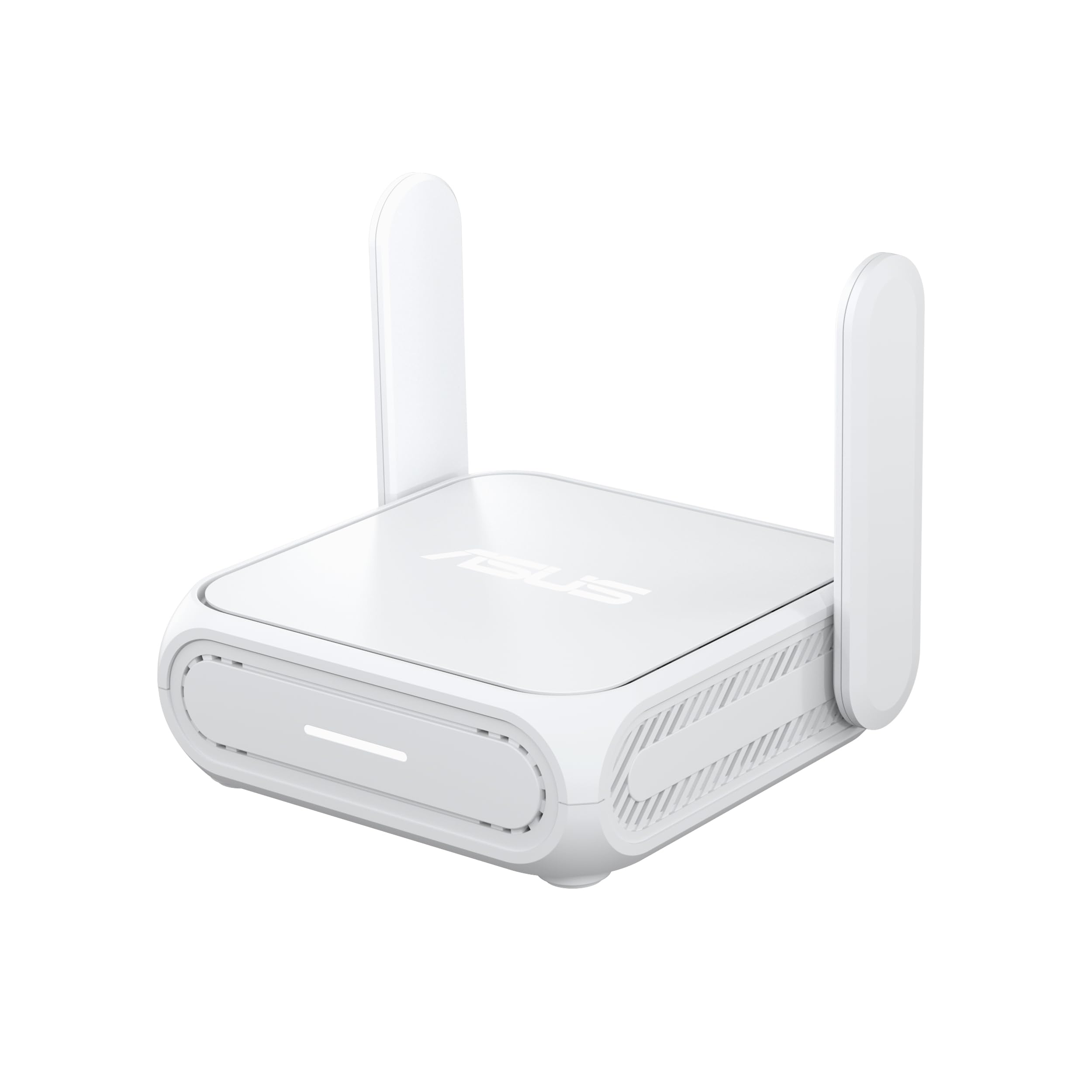
The USB-C power input is what gets the RT-BE58 Go onto this list. An 18 W USB-C Power Delivery charger is the same brick your phone and laptop already carry, which means the router can run from a battery pack on a train or from the one working outlet in an old apartment. Packing lighter is the entire point of a travel router, and this is the only pick here that treats the power supply as part of that problem.

Everything else is current. Dual-band Wi-Fi 7 rated at 688 Mbps on 2.4 GHz and 2882 Mbps on 5 GHz, a single 2.5-gigabit port, 4G and 5G tethering from a phone or dongle, and AiMesh support if you ever want to fold it into a home network. ASUS backs it for three years, the longest warranty in this group, and at 8 ounces it disappears into a bag. It reads as the traveler's router for someone who has one good charger and resents carrying a second.

The reason it sits in also-consider rather than higher is the setup. ASUS gives you public Wi-Fi mode, repeater mode, media bridge mode, and AiMesh node mode, and none of them explains itself the way GL.iNet's screens do. If you've configured a router before, you'll be through it quickly; if you haven't, you'll be reading a manual and searching for the right walkthrough. That's a fair trade for the power flexibility, but it is a trade, and it's the one thing we'd flag to a first-timer.

Pros

  • Runs from USB-C PD, including a power bank
  • Three-year warranty, the longest here
  • Wi-Fi 7 with 4G and 5G tethering
  • AiMesh support if you want to expand later

Cons

  • Only one Ethernet port for wired devices
Our verdict

We steer travelers who already carry a USB-C charger toward this one, because it runs from the same brick as their phone and adds a three-year warranty.

Check Latest Price

How We Tested Travel Routers

We started by pulling every travel router we could find that met three baseline requirements: dual-band Wi-Fi, at least one Ethernet port, and USB power so it can run off a battery pack or a laptop. From that pool we cut anything whose captive-portal workaround lived in a forum thread rather than the setup menu, and anything too bulky to slide into a laptop sleeve. That left 11 models across a range of prices.

Testing ran for eight months, mostly in places with imperfect internet: hotel rooms where the signal died at the end of the hall, a rental apartment with the router shut in a closet, coffee shops during the afternoon rush, and two cabins where a hotspot was the only option. Every router got the same first test. I set it up with a stopwatch running and the instructions face down, then handed it to a colleague who had never configured a router and timed them too, noting where they stalled.

Once it was running, we compared speed against a baseline: an identical speed test on the source network and on the router's own network, from the same spot, at the same time of day. Then we lived with it — five devices connected at once, a video call while someone else streamed, an evening of downloads — and logged every drop, stall, and manual reboot. Portability went past dimensions: each unit was weighed, packed into a laptop sleeve with a charger, and carried through a week of travel to see whether the case, port covers, and antennas came out intact. We also felt each one after two hours of use, since a router that runs hot in a hotel room is a router you stop trusting.

How to Choose Travel Routers

Match the router to your uplink

There are three ways a travel router gets internet, and the good ones cover all of them: a wired Ethernet jack, a public Wi-Fi network it joins and re-shares, and a phone tethered over USB. Hotel rooms tend to offer the first or the second, rarely both, and apartments and rentals lean wired. If you work on the road, put the Ethernet port at the top of your list; if you mostly stay somewhere with a captive portal, put sign-in handling first.

A router that can't get past the portal splash page is worse than useless, because you'll conclude the hardware is broken when it's the login it couldn't handle. Every pick here does handle it, and each hands the page to your phone or laptop so you can tap through.

The wireless hop costs you speed

In hotspot or repeater mode the router receives a Wi-Fi signal and retransmits it, and on a dual-band radio that second hop costs throughput — the same reason a range extender never matches the source. A wired uplink avoids it entirely, which is why the 2.5 Gbps WAN port on the Beryl AX and Roam 7 matters more than the headline Wi-Fi rating.

The related trap is paying for a newer standard expecting faster hotel internet. The building's connection is almost always the bottleneck, so Wi-Fi 7 buys you a better link between your own devices, not a faster pipe to the world. None of these five has a 6 GHz radio, so don't shop for that here.

Power is part of packability

Weights in this group run from 190 g to 300 g, which is the difference between a jacket pocket and a laptop bag. Power matters just as much: a router that runs on USB-C Power Delivery can share the charger you already carry for your phone, and it can run from a battery pack on a train. One that takes a dedicated 12 V brick needs that brick, every time.

If you're traveling internationally, check what's in the box. The GL.iNet models ship with US, UK, EU, and AU plug adapters, so the router itself won't need a converter.

Decide what the VPN is for

The router does two separate jobs here and they're easy to confuse. As a VPN client it sends your traffic out through a provider's tunnel, so every device on your network is covered without installing an app on each one; that needs an active subscription. As a VPN server it lets you reach your home network from abroad.

If all you want is your own password on a hotel connection, you need neither — the private network a router creates is protected by WPA2 or WPA3 on its own. Buy for the tunnel only if you'll actually use it.

Frequently Asked Questions

Final Verdict

The GL.iNet Beryl AX is the travel router we recommend to almost everyone. A 2.5-gigabit WAN port covers the wired hotel rooms, dual-band Wi-Fi 6 covers everything else, OpenVPN and WireGuard are ready the moment you need them, and the whole thing weighs 196 g. Nothing else here does more of the everyday job for less aggravation.

Spend up only for a reason. The Slate 7 buys you Wi-Fi 7 and a touchscreen that shows the tunnel is up; the ASUS RT-BE58 Go buys USB-C power and a three-year warranty. And if the router is insurance rather than equipment — a week in a rental with unpredictable Wi-Fi — the TP-Link Roam 6 AX1500 covers the basics for considerably less.