9 Best Travel Keyboard of 2026: Which Ones Hold Up on the Road

The best travel keyboards for your carry-on, based on what frequent travelers actually need: portability, key comfort, and charging that lasts.

A travel keyboard is a compromise between key size and suitcase space. The lightest options cram your hands into a layout that forces typos, while the full-size foldables add enough heft to make you wonder if they belong in a bag at all. The trick is finding a keyboard that fits the way you actually type on the road.

Most buyers get tripped up by the spec sheet, not the keys themselves. Standby numbers and fold counts sound good in the listing, but the real durability test is whether a key still registers after months of being stuffed into a backpack. Bluetooth stability and battery design matter more than a hinge that folds 100,000 times.

The guide below walks through the key decisions that separate a useful travel companion from a gadget that stays in your hotel room: key layout, charging style, connectivity, and the reliability you can expect from each design.

1

Best Overall

OMOTON Slim Keyboard

91 /100
Traveler Score Outstanding

Key details

Battery
2x AAA
Bluetooth
Bluetooth
Key Layout
Compact
Folded Size
11.2 x 4.7 x 0.2 in
Check Details on Amazon

OMOTON's Ultra-Slim Bluetooth Keyboard is a 160-gram typing companion for iPad and iPhone owners who need a keyboard without packing a laptop. It pairs in seconds, reconnects to the last Apple device automatically, and its 78-key layout matches the shortcuts iPad users expect. The 0.2-inch profile slips into a sleeve or backpack panel, yet the typing surface feels roomy enough for sustained notes. It is quiet enough for shared spaces, and the 400-hour battery rating means the board stays ready for weeks of use between battery changes.

The build quality at this price exceeds what the category delivers. The frame resists flex on a lap or desk, keycaps feel planted during fast typing, and the compact footprint leaves room for a mouse next to it on a small desk. Automatic reconnect makes the OMOTON feel like a dedicated tablet accessory rather than a generic peripheral pulled out only when needed. The keys also hold up well in classrooms and coworking spaces where a loud keyboard would be disruptive.

The right owner is a student, commuter, or budget-conscious traveler who wants a low-cost tablet typing tool without carrying a full keyboard workstation. It is not aimed at buyers who insist on USB-C rechargeable keyboards; this board takes two AAA batteries. The 78-key layout also omits a number pad and Windows-specific shortcut row, which is a non-issue on iPadOS but a practical boundary if you plan to share it with a Windows machine. Pair it with a folio stand and you have a laptop-style setup at a fraction of the cost and weight.

The OMOTON does not try to match premium-priced folding keyboards on pocket footprint. Its value comes from core strengths: fast pairing, stable connections, and a typing session that makes a tablet feel like a light writing station. This is also a board you can hand to someone else without setup instructions; one Bluetooth pairing is enough, and the same three steps work on an iPhone or iPad. The 400-hour battery rating makes it a strong candidate for a dedicated bag keyboard: leave it paired, check the charge occasionally, and it will be ready when travel schedules get hectic.

The OMOTON's real competition is the class of folding full-size boards that cost more and add a hinge. That class brings a larger footprint; this board costs less and stays flat. For tablet-first travelers, the flat slab is the more direct answer to the question of how to type on an iPad without a laptop.

Pros

  • Pairs with iPads and iPhones in seconds and reconnects without a Bluetooth-menu detour.
  • Low-profile keys feel stable and quiet during long note-taking sessions.
  • Bluetooth connection stays steady through multi-hour typing sessions.
  • Slim 160-gram body slides easily into a bag sleeve or backpack pocket.
  • Budget-friendly price with build and battery life that match costlier boards.

Cons

  • Fixed non-folding body is less pocket-friendly than folding travel keyboards.
  • Runs on two AAA batteries rather than a built-in rechargeable pack; USB-C-only travelers should pass.
Our verdict

For Apple-centric travelers who value a stable typing slab over a folding footprint, the OMOTON is the low-cost keyboard to keep in a bag.

Check Latest Price
2

Best Full-Size Foldable

ProtoArc XK01 Foldable

87 /100
Traveler Score Excellent

Key details

Battery
USB-C
Bluetooth
3 devices
Key Layout
Full-size 105-key
Folded Size
8.46 x 4.68 x 0.78 in
Check Details on Amazon

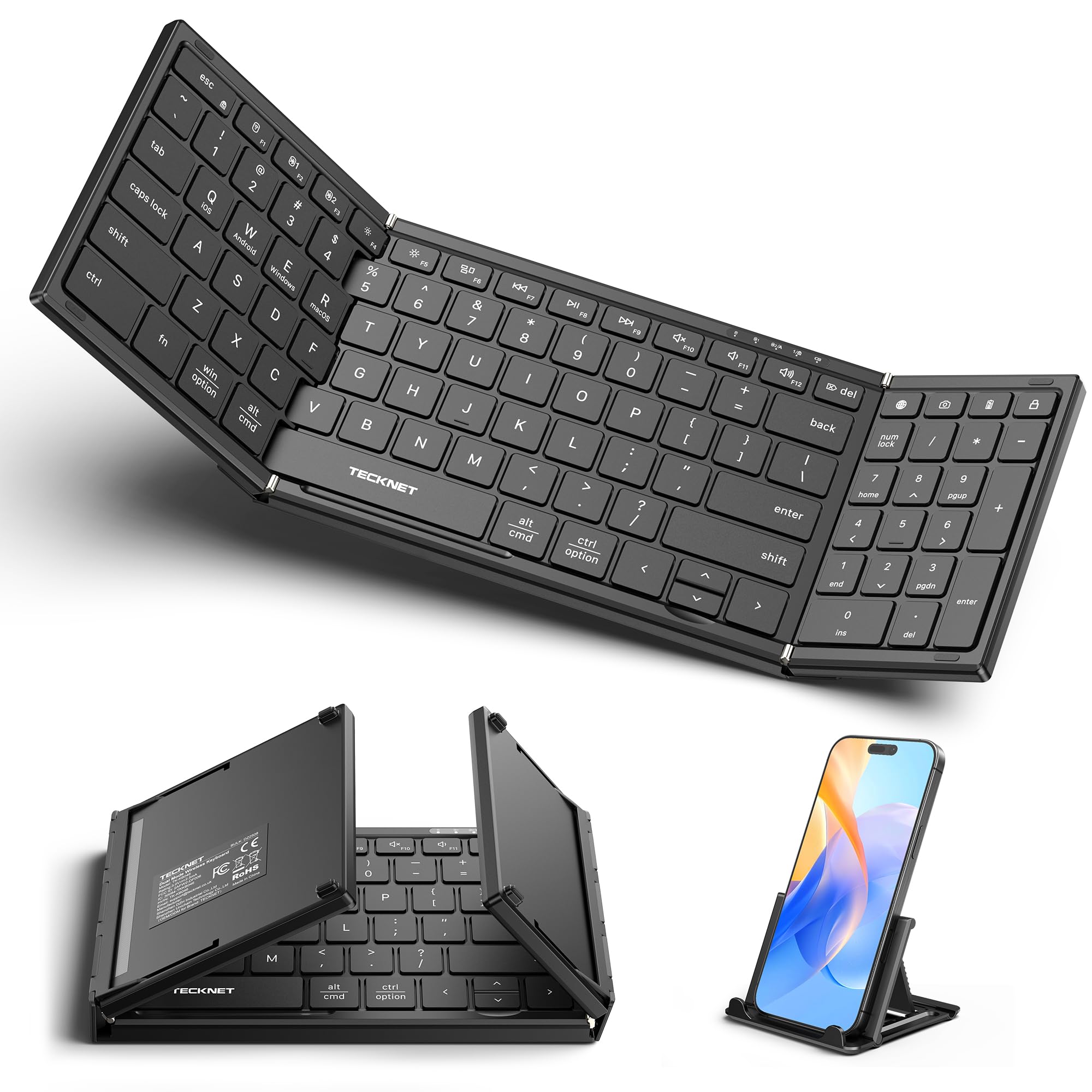
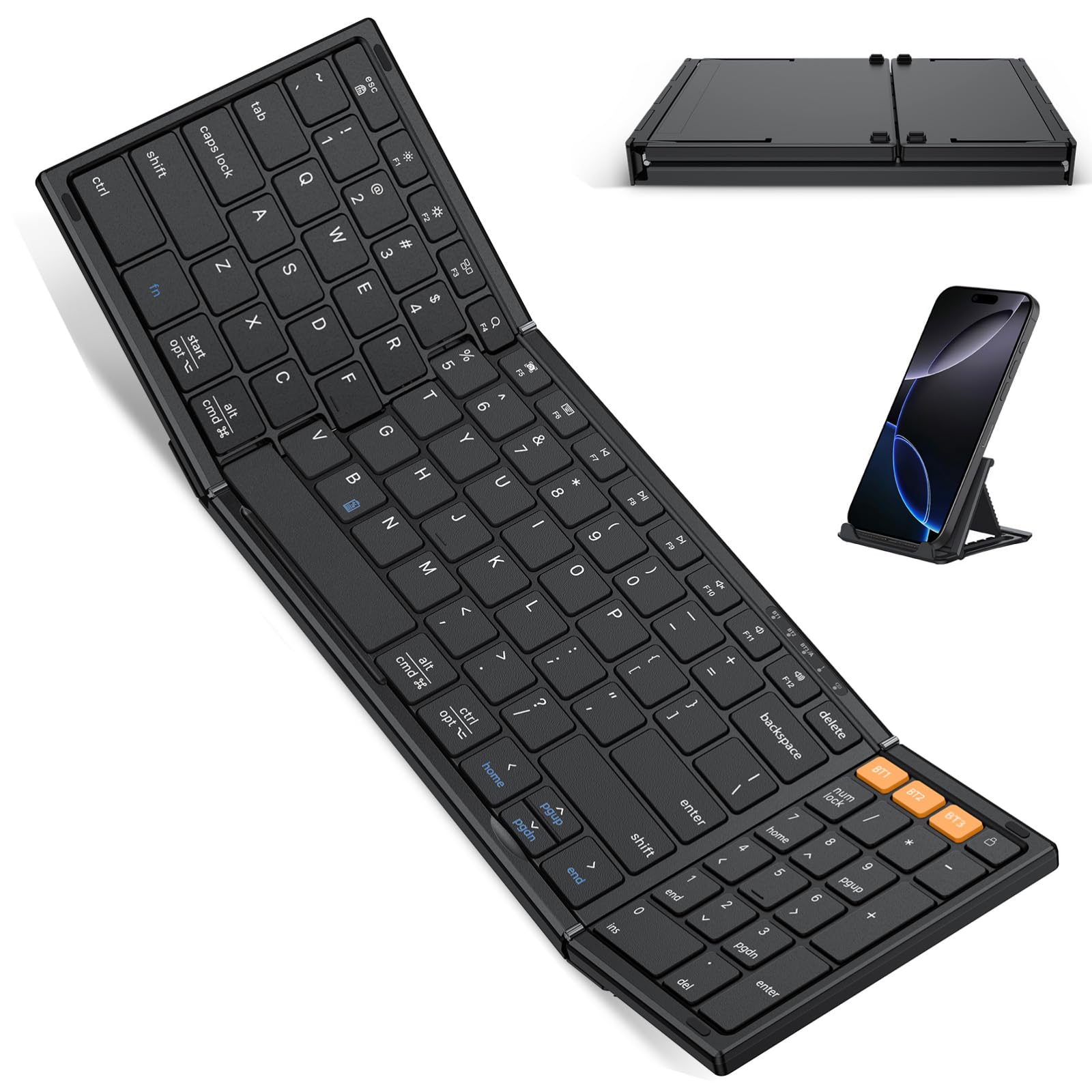
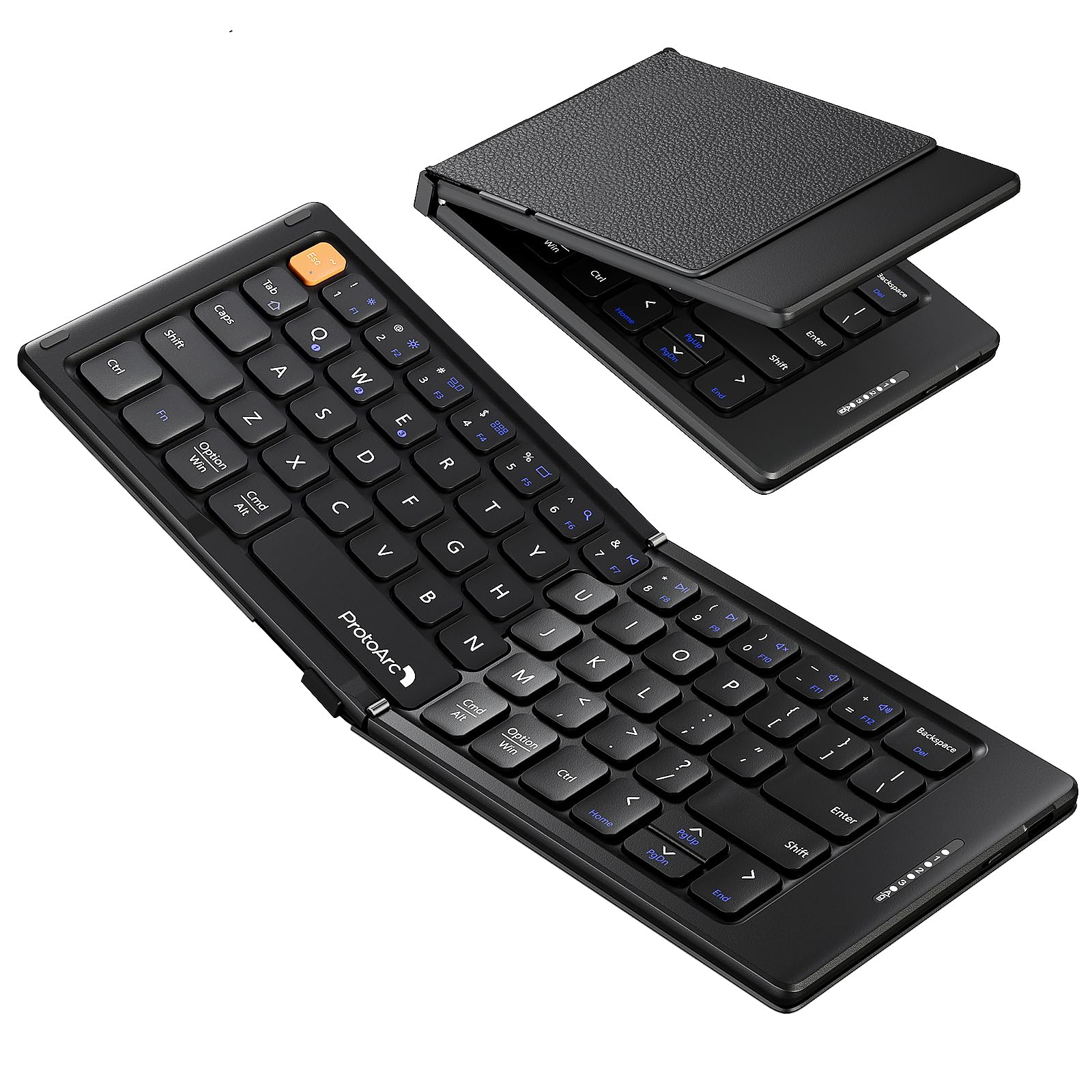
The ProtoArc XK01 brings a full-size 105-key layout and numeric keypad into a tri-fold body that rides in a laptop bag. Unlike the split ergonomic travel boards in this set, it keeps the familiar straight layout, so there is no relearning curve for typists who spend their days on standard desktop keyboards. The tri-fold hinge opens to a rigid full-width board, removing the flex that smaller folding keyboards can have.

Bluetooth 5.1 connects three devices, and switching between laptop, tablet, and phone takes a couple of taps. The battery holds its charge for a claimed 150 days on standby, making USB-C top-ups a monthly routine rather than a daily tether.

This keyboard suits travelers who need a number pad away from a desk and remote workers switching among laptop, tablet, and phone. It is a bag-friendly board for people who want full-size keys without a full-size case. Buyers who expect a decade of service from a folding keyboard should treat the warranty period as part of the value calculation.

Pros

  • Full-size 105-key layout with numeric keypad makes desktop-style typing possible away from home.
  • Tri-fold body compacts to 8.46 x 4.68 x 0.78 inches and sets up without fuss.
  • Bluetooth 5.1 pairs with three devices and switches between them quickly.
  • USB-C charging with long standby keeps charging stops brief on multi-day trips.

Cons

  • Folded size is too large for a pocket, so this is a bag-only travel keyboard.
  • Key-switch durability can vary between individual units, a factor to weigh for daily-carry use.
Our verdict

The XK01 is the foldable to choose when a number pad matters more than pocket size, and the desktop-like layout carries the mid-range price.

Check Latest Price
3

Best Ultra-Slim Tablet Keyboard

Logitech Keys-To-Go 2

83 /100
Traveler Score Excellent

Key details

Battery
Coin cell
Bluetooth
3 devices
Key Layout
Compact 78-key
Folded Size
Built-in cover
Check Details on Amazon

At 220 grams with a built-in cover, the Keys-To-Go 2 is the lightest and thinnest keyboard in this travel set. Unlike the compact crossover keyboard that still feels desk-bound, this one slides into a bag and stays protected without a separate sleeve. The low-profile 78-key layout keeps the rows you need while dropping the number pad and full-size spacing that add luggage bulk.

Typing feels quick and comfortable for short-burst work; the keys snap back without the mushy response you can get from low-cost travel boards. The slim frame and clean surface give it a premium look, and the cover protects the keys when the board is packed at the bottom of a bag.

This keyboard suits travelers who prioritize the thinnest possible kit over a foldable form, a number pad, or USB-C rechargeable convenience. It also works for minimalists who don't want to track a charging cable: the pre-installed coin cell lasts for long stretches when sessions stay short, though heavy use may cut into Logitech's three-year estimate. Mid-session Bluetooth drops have been noted for some multi-device setups, so the Keys-To-Go 2 is best for focused one-device use rather than rapid switching.

Pros

  • 220-gram body with built-in cover makes it the easiest board here to pack for travel.
  • Low-profile keys are responsive and comfortable for short typing sessions.
  • Compact 78-key layout keeps essentials within reach without adding bulk.
  • Sleek, premium finish gives it a more expensive look than its weight suggests.

Cons

  • The coin-cell battery is not rechargeable and may need replacement before Logitech's three-year claim under heavy use.
  • Bluetooth can drop mid-session when juggling multiple paired devices, interrupting a writing flow.
Our verdict

For minimal packers who want a slim, cover-protected board for short tablet sessions, this is the one to slide into a bag.

Check Latest Price
4

Best Ergonomic Foldable

ProtoArc XK03 Ergonomic

86 /100
Traveler Score Excellent

Key details

Battery
USB-C
Bluetooth
3 devices
Key Layout
Split V-shape
Folded Size
360° foldable
Check Details on Amazon

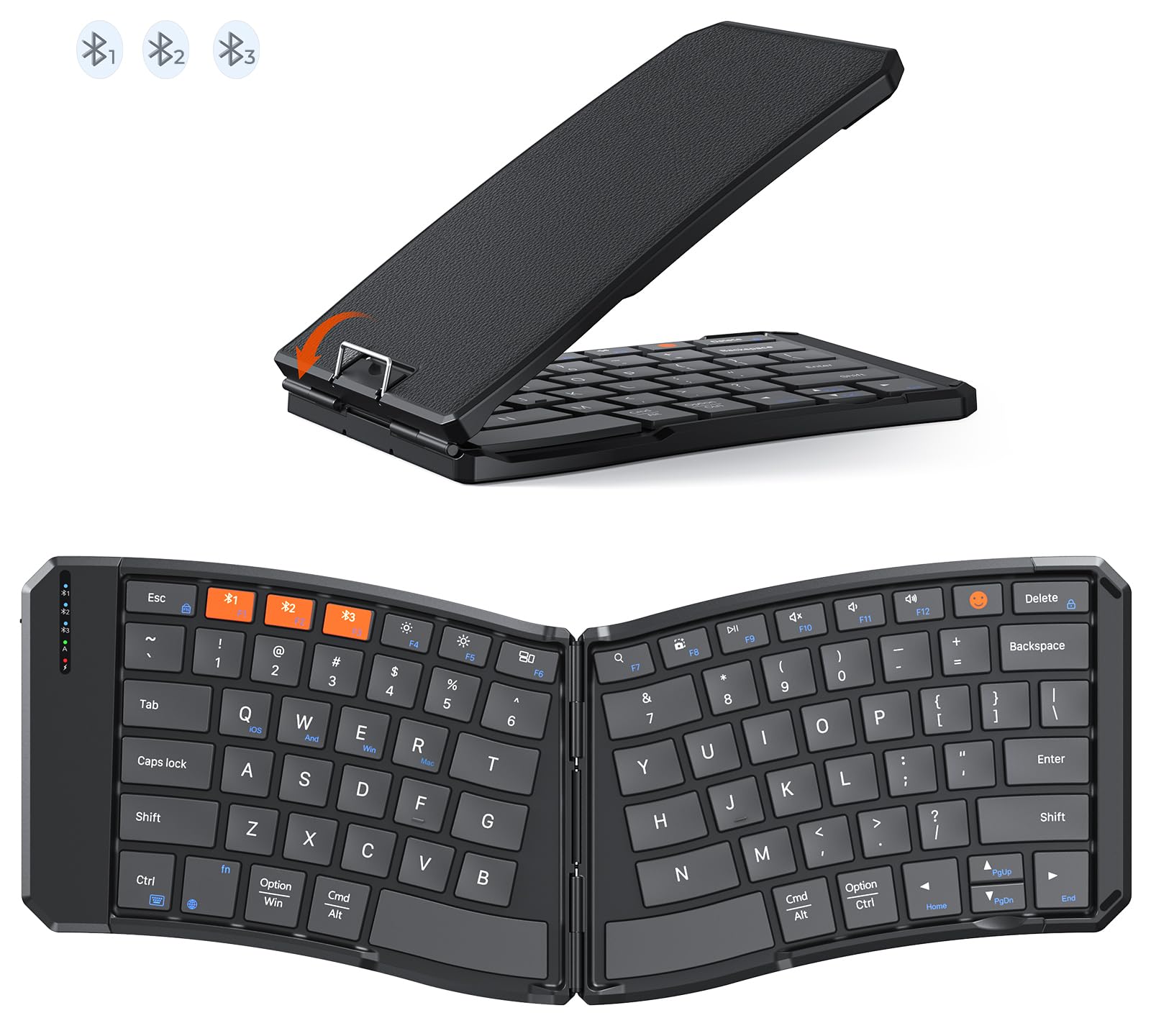
The XK03's split V-shape is the main event: it angles the two halves so wrists stay straighter and shoulders relax compared with a flat board, and the 360-degree hinge folds it down to a backpack-ready size. Pairing across three Bluetooth devices is quick, and switching between phone, tablet, and laptop happens without a re-pair dance.

The chassis feels denser and more solid than the usual travel-board plastic, and the soft-touch keys are quiet enough for a hotel room. Battery life stretches for weeks of normal use, which removes one more travel annoyance.

This is for travelers who already notice wrist or hand fatigue after a long typing day and who switch among several devices. The split layout asks for a real adjustment period, and occasional key unresponsiveness has been noted in long-term use, so this is a comfort-first choice rather than a maximum-longevity one.

Pros

  • Fold-down 360-degree shape slips into a backpack without a separate case.
  • Chassis feels solid and reassuringly dense for a foldable travel board.
  • Pairs quickly and holds a stable connection across three Bluetooth devices.
  • Split layout keeps wrists in a natural position and eases hand strain during long sessions.

Cons

  • No number pad or full-size row, so number-heavy work will feel cramped.
  • Warranty length is worth checking because key durability can vary after extended use.
Our verdict

For wrist-fatigued travelers who don't need a number pad, this foldable splits the difference between ergonomics and portability.

Check Latest Price
5

Best Pocket Keyboard with Touchpad

iClever BK08 Foldable

87 /100
Traveler Score Excellent

Key details

Battery
USB-C
Bluetooth
3 devices
Key Layout
Compact 65-key
Folded Size
Tri-fold pocket
Check Details on Amazon

The aluminum tri-fold body and integrated multi-touch trackpad make this a complete pocket workstation in the travel-keyboard lineup. It pairs with three Bluetooth devices and charges over USB-C, with battery life that supports weeks of ordinary trips. Where the top pick is a keyboard-only slab, the iClever lets you leave a separate mouse at home.

This is for mobile professionals and tablet users who want keyboard plus trackpad in a single pocket-size device. Bluetooth stability and trackpad responsiveness can be inconsistent, so the fit is for travelers who can tolerate occasional reconnects and a less precise touch surface rather than anyone who needs a flawless wireless session. For that group, the all-in-one form factor outweighs carrying a separate mouse.

Key quality holds up well for a board this size, and the tri-fold design folds flat for a bag or a large jacket pocket. The built-in trackpad handles multi-touch gestures, so scrolling and tapping stay on the keyboard instead of on the screen. The mid-range price positions it below full-size foldable models while adding a feature that basic ultra-slims lack.

Pros

  • Folds flat into a compact aluminum package that slips into a travel bag without a separate case.
  • Solid key quality keeps short typing sessions comfortable even with the compact layout.
  • Sturdy aluminum bottom case gives the foldable frame a rigid feel.

Cons

  • Compact key layout may feel tight for larger hands during longer sessions.
  • Key behavior can vary between units, and individual keys may become unresponsive.
Our verdict

The iClever earns its spot as the pocket workstation for travelers who want keyboard and cursor control in one device. A keyboard-only ultra-slim is the lighter choice when a trackpad is not part of the plan.

Check Latest Price
6

Best Built-In Stand for Tablets

Macally Wireless Keyboard

88 /100
Traveler Score Excellent

Key details

Battery
USB-C
Bluetooth
3 devices
Key Layout
Compact 78-key
Folded Size
Built-in stand
Check Details on Amazon

The Macally's main move is a sturdy built-in 10.5-inch device dock that turns a tablet into a compact typing station. The solid frame holds the tablet steady while you type, and the whole unit sits as one piece in a bag rather than folding down to pocket size. This is a workstation-first approach to a travel keyboard, not a hide-it-in-a-jacket design.

Bluetooth pairing takes only a few seconds with iPads, iPhones, and other gadgets, and the keyboard remembers three devices for quick switching. The 78-key layout keeps the footprint compact, and the 280mAh battery holds up through long sessions before needing a charge. The colorful exterior is a small bonus in a category that leans plain.

This is a good fit for iPad and tablet owners who want an all-in-one keyboard with a stand, plus students or office workers who want a compact board with some color. It is heavier than typical travel keyboards, and the device slot may not fit phones or tablets that stay inside thick cases. Those two limits point a different direction: ultralight packers and bulky-case phone users are better served by the slimmer cover-style option in this lineup.

💡 Keep the keyboard on a desk or tabletop for a more stable typing angle.

Pros

  • Sturdy frame with built-in 10.5-inch dock holds a tablet at a stable typing position.
  • Bluetooth pairing is quick with iPads, iPhones, and other gadgets.
  • Battery lasts through long typing sessions between charges.
  • Colorful design adds personality without looking out of place in an office.

Cons

  • At a desk, a thick-cased device needs to leave its case to fit the dock.
  • In a packed bag, the stand's added weight is more noticeable than with the slimmest travel keyboards.
Our verdict

The Macally pairs a built-in stand with a solid frame, which suits tablet-first buyers who want one piece of gear instead of a separate folding board. Travelers who count grams should take the slimmer cover-style option in this lineup instead.

Check Latest Price
7

Everyday Carry

Logitech Pebble Keys 2

88 /100
Traveler Score Excellent

Key details

Battery
2x AA
Bluetooth
3 devices
Key Layout
Compact 104-key
Folded Size
Slim non-folding
Check Details on Amazon

Quiet round keys keep long typing sessions comfortable, and switching among three paired devices is a quick button press away. That makes the Pebble Keys 2 a crossover keyboard for desk work that also slips into a backpack. The 415-gram frame is light enough to carry, but it is not a purpose-built travel board: it lacks a folding hinge and has no built-in cover, so key faces stay exposed when packed. This fits a desk-first traveler who wants one compact keyboard for daily work and occasional trips.

Pros

  • Build quality feels solid for such a light keyboard.
  • Compact shape slips into a backpack or day bag without adding bulk.
  • Quiet, soft-touch round keys keep typing noise low while staying comfortable.

Cons

  • Pairing can take a couple of tries with some devices, and Bluetooth connections may occasionally drop.
  • Long-term key consistency can vary between units; some may lose responsiveness after months of use.
Our verdict

For a desk-first traveler who wants one quiet keyboard to carry when needed, the Pebble Keys 2 is the comfortable crossover pick.

Check Latest Price
8

Full-Size Alternative

Samsers KF06S Foldable

86 /100
Traveler Score Excellent

Key details

Battery
USB-C
Bluetooth
3 devices
Key Layout
Full-size 104-key
Folded Size
13.5 x 4.5 x 0.35 in
Check Details on Amazon

Full-size 104-key layout with a numeric keypad and USB-C charging makes this a practical alternative to the ProtoArc XK01 for travelers who need desktop-style keys on the road. The tri-fold body opens into a normal key arrangement and tucks into a backpack pocket, so it carries well despite its dimensions. It pairs with up to three devices and uses USB-C, which keeps the cable collection simple. The tradeoff is long-term durability under sustained use, which is why it sits a tier below the leading full-size foldable. For buyers who prioritize the number pad over maximum lifespan, this remains a functional mid-range travel keyboard.

Pros

  • Full-size 104-key layout with normal-sized keys for desktop-style typing on the road.
  • Pairs with up to three devices and switches between phone, tablet, and laptop.
  • USB-C charging with up to 90 hours of use between charges.

Cons

  • After months of daily travel, some units can develop unresponsive keys or connection drops.
  • Folded size suits a backpack pocket, not a clothing pocket; this is a bag-board, not a pocket-board.
Our verdict

If a full-size numeric keypad is non-negotiable on work trips, this is a practical pick for backpack-based travel, with that tradeoff in mind.

Check Latest Price
9

Budget Ergonomic

MoKo Ergonomic Foldable

86 /100
Traveler Score Excellent

Key details

Battery
USB-C
Bluetooth
Bluetooth + 2.4G
Key Layout
Split ergonomic
Folded Size
7.09 x 4.92 x 1.5 in
Check Details on Amazon

The MoKo foldable split layout brings the wrist-friendly V shape into a budget-friendly travel keyboard, and the 2.4G USB receiver offers a dependable alternative to Bluetooth. It folds small enough to drop in a bag, pairs quickly with tablets and phones, and its compact key set still feels near full-size. The Bluetooth radio can drop in some environments, and faster typists may outpace the keyboard's buffer; the included receiver helps with the first issue, while the second is a matter of typing pace. Compared with the pricier ergonomic split model, the MoKo is the budget entry point, not a consistency-first choice. For travelers who want an ergonomic shape without paying for a premium build, it makes a reasonable first stop.

Pros

  • Build quality at this price is stronger than expected for a foldable travel keyboard.
  • Compact key set stays close to full-size while folding into a small, carry-friendly body.
  • Battery life suits multi-day travel and recharges quickly.

Cons

  • Bluetooth connection can drop in some environments.
  • Fast typing can outpace the keyboard's buffer, causing lag or jammed input.
Our verdict

For moderate-speed travel typing, the split layout's entry-level price makes it a reasonable first experiment with ergonomic keyboards.

Check Latest Price

How to Choose

Folded Size and Portability

Foldable keyboards split into two groups: tri-folds that match a 13-inch laptop bag's width and pocket-size bi-folds that slip into a jacket. A tri-fold gives you nearly full-size keys but needs about an inch of bag depth. A bi-fold is smaller, but the fold point often lands under your fingers, which can make touch typing awkward.

The weight difference is small, usually 40 to 100 grams. What changes your packing experience is the shape, not the weight. A 7-inch pocket keyboard disappears into a daypack pocket while a 13-inch tri-fold needs a dedicated sleeve or compartment.

Key Layout

Key spacing is the main trade-off. Compact keyboards squeeze the letters closer together, which is fine for thumbs on a phone or quick tablet notes, but forces finger gymnastics during long writing sessions. Full-size foldables keep standard 19mm key pitch and add a number pad, which makes them feel like an office keyboard.

The hidden cost of full-size keys is a wider fold line. A keyboard with 104 keys has to split into three panels, and the seam between panels sits directly under the spacebar area. If the hinge doesn't sit low enough, your thumbs will catch the gap while you type.

Bluetooth Multi-Device Switching

Multi-device Bluetooth usually means three saved pairings and a function-key shortcut to jump between phone, tablet, and laptop. The practical benefit is real: you can type a note on your phone, switch to your laptop for an email, and move back without re-pairing.

The mechanism that causes disconnects is often power management, not radio interference. Keyboards that drop connections to save battery will stop responding for seconds, then reconnect and send a burst of buffered keystrokes. If you switch devices often, check whether the keyboard has a physical on/off switch that holds its connection state between sessions.

Battery and Charging

USB-C rechargeable keyboards are the easiest to live with on a trip because you can charge them with the same cable as your phone or laptop. A 150-day standby spec sounds good, but what matters is the battery's behavior when you leave it idle for a week. Some keyboards wake up constantly and drain faster; others use a deep-sleep mode that makes reconnects slower.

AAA-powered models like the OMOTON avoid battery degradation entirely, but you carry spare cells or hunt for batteries in small towns. Coin-cell keyboards like the Logitech Keys-To-Go 2 trade rechargability for thinness, which means a flat keyboard at 9 PM means a trip to a convenience store instead of a simple USB-C charge.

Long-Term Key and Switch Reliability

The most common failure mode in travel keyboards is a key that stops registering after months of use. The scissor switches inside foldables have small pivot arms and thin membranes that can wear unevenly, especially on keys that sit near the hinge or the outer edges of the fold.

The use-case consequence is that the most comfortable keyboard for a long flight can fail during a deadline. If you're buying a foldable, check whether the brand publishes a warranty, and buy through a retailer that offers an easy return window. For heavy daily typists, a non-folding ultra-slim with no hinge may genuinely last longer.

Frequently Asked Questions