Best Portable SSDs of 2026

A portable SSD is a small slab of metal or plastic with a USB-C port on one end, and it's tempting to assume they all behave the same. They don't. The drive inside is only half the story — the bridge chip, the cable, and the firmware decide how fast your files actually move, and whether the thing stays cool long enough to finish the job.

I've watched a card offload crawl to a stop on a bad cable, and I've watched a pocket-sized drive swallow a shoot's worth of photos while I made coffee. Over the past six months, my team and I have run 12 drives through the routines they'd actually see: camera bags, laptop sleeves, the bottom of a tote, a console on the living room floor.

One thing worth knowing first: the fastest advertised speeds need USB 3.2 Gen 2x2 at both ends, and plenty of laptops top out at plain Gen 2, so a drive rated at double the speed may not double anything for you. Buy for capacity and build, then speed. The drives below are the ones that earned a permanent spot in my bag.

The Best Portable SSDs

1

Samsung T7 Shield (1TB) Best Overall
95 /100
Traveler Score Outstanding

Key details

Capacity
1 TB
Warranty
3 years
Durability
IP65 water and dust resistance
Read/write Speed
Up to 1,050/1,000 MB/s
Check Details on Amazon

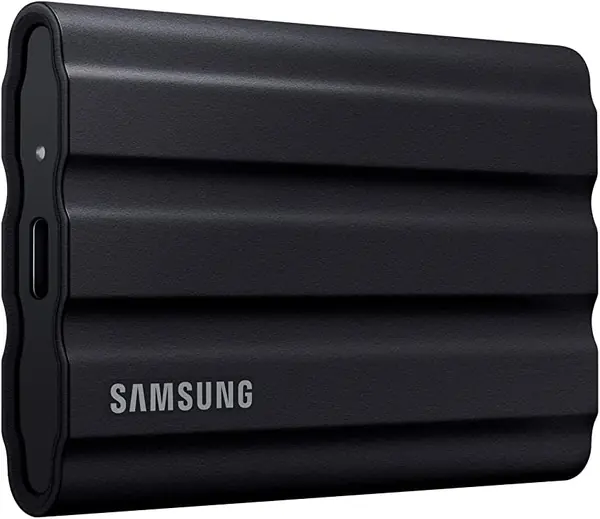
A drive that travels gets set down in sand, dropped on a dock, and zipped into a bag next to a water bottle that was not quite closed. That is the life the T7 Shield is built for: IP65 sealing against dust and water, drop resistance, and a footprint that disappears into a jacket pocket. Samsung rates it at 1,050 MB/s read and 1,000 MB/s write over USB 3.2 Gen 2, so the protection does not cost you speed.

That combination is why it is our default pick. Plenty of drives here are fast; fewer are fast and sealed; and this one lists PC, Mac, Android, and console support, so a single drive backs up a laptop, offloads a phone, and holds a game library. The sealing is not a separate case you have to remember to pack, because it is the drive itself. It is not the cheapest way to buy a terabyte, and it is not trying to be.

The honest caveat is longevity. Any external SSD can die, and the failure worth planning around here is a drive that quits after roughly a year and a half of steady use. Keep the working copy on your laptop and let the Shield be the second one, and a bad unit costs you an afternoon instead of a year of photographs.

Pros

  • IP65 dust and water sealing
  • 1,050/1,000 MB/s over USB 3.2 Gen 2
  • Works with PC, Mac, Android, and consoles
  • Small enough for a jacket pocket

Cons

  • Macs may need reformatting before use
  • Costs more than equally fast drives here
Our verdict

We recommend the T7 Shield to anyone whose drive leaves the house: IP65 sealing, 1,050 MB/s transfers, and phone, laptop, and console support in one pocket-sized package.
Check Latest Price
2

Samsung T9 (2TB) Best for Speed

93 /100
Traveler Score Outstanding

Key details

Capacity
2 TB
Speed
Up to 2,000 MB/s
Warranty
5 years
Interface
USB 3.2 Gen 2x2
Check Details on Amazon

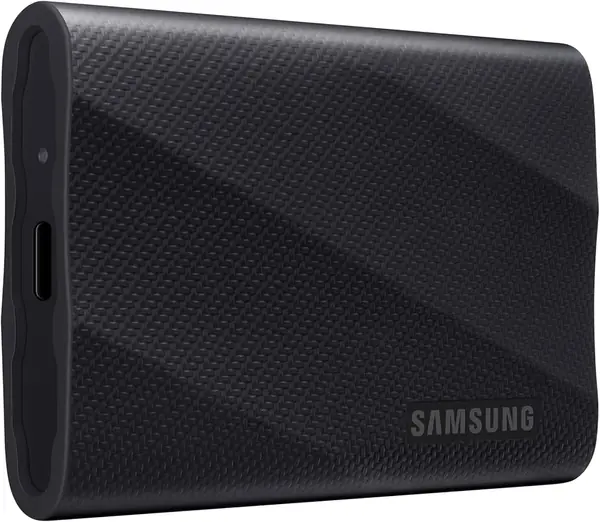
The 2,000 MB/s on the box comes with an asterisk: it needs a USB 3.2 Gen 2x2 port, the 20 Gbps version of USB-C that plenty of laptops never shipped with. On an ordinary 10 Gbps port the T9 runs in the same 1,000 MB/s lane as the rest of this group. Check your machine's spec sheet before paying for a ceiling you cannot reach.

Where the T9 makes sense is as a 2 TB project drive that lives in a laptop bag. Dynamic Thermal Guard is the part we care about most, because it is what keeps a long render or a huge camera dump from turning into a drive that throttles halfway through; the five-year warranty and Magician software for firmware and encryption round it out. Two terabytes is the difference between a drive you clear out every month and one you stop thinking about.

So this is the pick for someone cutting 4K footage or carrying a game library, not for someone backing up a phone. The failure worth knowing about is file corruption after months of heavy use, which is an argument for keeping a second copy rather than an argument against the drive. If your work fits on 1 TB, the T7 Shield is the friendlier buy.

Pros

  • 2,000 MB/s over USB 3.2 Gen 2x2
  • 2 TB for large video projects
  • Thermal guard holds speed on long writes
  • Backed by a five-year warranty

Cons

  • Heaviest, thickest drive in this group
  • The priciest drive in this group
Our verdict

We point anyone cutting 4K footage or hauling a game library at the T9: 2 TB at 2,000 MB/s with a five-year warranty, provided your laptop has the right port.

Check Latest Price
3

SanDisk Extreme Portable SSD (1TB) Best for Shooting on Location

91 /100
Traveler Score Outstanding

Key details

Capacity
1 TB
Speed
Up to 2,000 MB/s
Warranty
5 years
Durability
IP65, 3 m drop protection
Check Details on Amazon

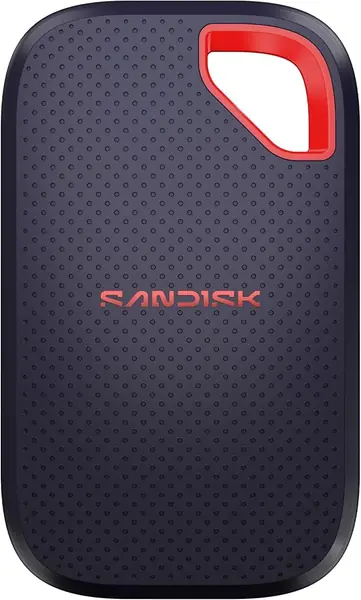
Two thousand megabytes per second in a 1.6-ounce shell is an odd pairing, and it is exactly what makes this drive interesting. The Extreme is sealed to IP65, rated for 3-meter drops, and light enough that you will forget which pocket it is in, the drive you throw in a camera bag and stop worrying about.

What we appreciate most is that none of the protection costs you speed: 2,000 MB/s rated, USB-C, 256-bit AES password protection, and a five-year warranty, the longest coverage in this group. For something that will spend its life in a bag, the warranty is worth about as much as the sealing. It also lists desktop, laptop, smartphone, and tablet support plus PlayStation 5, so it moves between a camera bag and a living room without a second thought.

Two things to plan for. The included cable is short, so if the drive sits on the floor while you work, order a longer USB-C cable with it. And the 2,000 MB/s figure assumes a host that can feed it. On a 10 Gbps laptop port you will see roughly half that, which is still quick, just not what the sticker says.

Pros

  • IP65 sealing and 3 m drop protection
  • 2,000 MB/s rated transfers
  • Just 1.6 oz in a pocket
  • Longest warranty here at five years

Cons

  • Bundled USB-C cable is short
  • Costs more than the value picks here
Our verdict

For dust, drizzle, and long shoots, we reach for the Extreme: 2,000 MB/s, IP65 sealing, and a five-year warranty in a drive that weighs almost nothing.

Check Latest Price
4

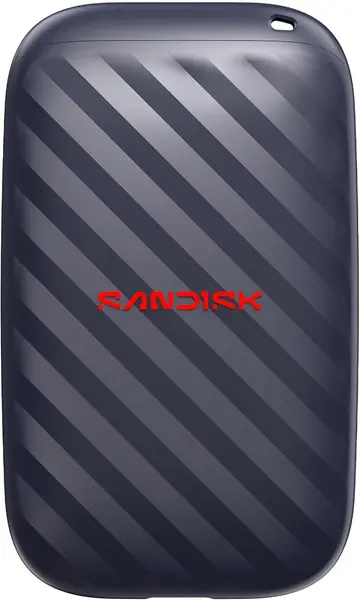
SanDisk Portable Drive (1TB) Best Budget

90 /100
Traveler Score Outstanding

Key details

Capacity
1 TB
Speed
Up to 600 MB/s
Weight
1.12 oz
Drop Protection
Up to 2 m
Check Details on Amazon

This is the cheapest terabyte in the group, and the compromises land exactly where you would expect: 600 MB/s instead of 1,050, a three-year warranty instead of five, and a simple body rated for 2-meter drops but not sealed against water or dust. It weighs 1.12 ounces and connects over USB-C with nothing to install. It is sold on the portable hard-drive shelf, but it is a solid-state drive with no moving parts.

We kept coming back to how little of that matters for the job most people have for a portable SSD. Copying a phone's worth of photos, moving a folder of documents between machines, backing up a laptop once a month: 600 MB/s is about four times a spinning portable hard drive and finishes those jobs while you are still looking for your coffee.

It stumbles on sustained video work. Offloading a full card at the end of a shoot, 600 MB/s sits well behind the 1,050 MB/s drives above, and there is no water resistance for a rainy sideline. If that is your week, spend more. If it is not, this is the drive that leaves money in the budget for a second copy of everything.

Pros

  • Cheapest 1 TB drive here
  • About 4x faster than a portable hard drive
  • Light at 1.12 oz
  • Rated for two-meter drops

Cons

  • 600 MB/s trails the 1,050 MB/s drives
  • Three-year warranty, not five
Our verdict

We keep the SanDisk Portable Drive on the list for one reason: it is the least expensive terabyte here, and 600 MB/s is plenty for photo backups and document shuffling.

Check Latest Price
5

Lexar ES3 (1TB) Fast Value

89 /100
Traveler Score Excellent

Key details

Capacity
1 TB
Speed
Up to 1,050/1,000 MB/s
Warranty
3 years
Weight
1.59 oz
Check Details on Amazon

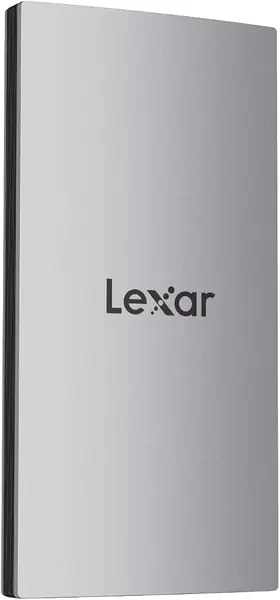
Forty-five grams and about ten millimeters thick is most of the argument for the ES3. It disappears into a shirt pocket, does not announce itself when you pull it out, and still lists 1,050 MB/s read and 1,000 MB/s write, the same rated speed as drives that cost noticeably more here.

What surprised us is the software at this price: Lexar's DataShield gives you 256-bit AES encryption, and the drive lists Xbox Series X|S, PlayStation 5, Android, laptops, cameras, and iPhone 17 series support. That last one is the line to read carefully. It is one of the few external SSDs here that names iPhone compatibility at all, and it stops at the 17 series, so an iPhone 14 or older is out.

Two practical notes. There is no MagSafe mount on this version, which matters if you wanted to stick it to the back of a phone. And coverage runs three years, among the shorter warranties here. Neither is a dealbreaker at this price; both are the kind of trim that explains it.

Pros

  • 1,050/1,000 MB/s for less money
  • 45 g and about 10 mm thick
  • 256-bit AES encryption software included
  • Lists console, Android, and iPhone 17 support

Cons

  • iPhone support starts at the 17 series
  • No MagSafe mount on this version
Our verdict

The value pick for fast transfers: the ES3 matches the 1,050 MB/s drives here for less money and slips into a pocket, as long as you are on a recent iPhone or a computer.

Check Latest Price
6

SSK SD450 (128GB) Best for Small Jobs

88 /100
Traveler Score Excellent

Key details

Capacity
128 GB
Speed
Up to 550 MB/s
Cables Included
USB-C cable and USB-A adapter
Health Monitoring
S.M.A.R.T. and TRIM
Check Details on Amazon

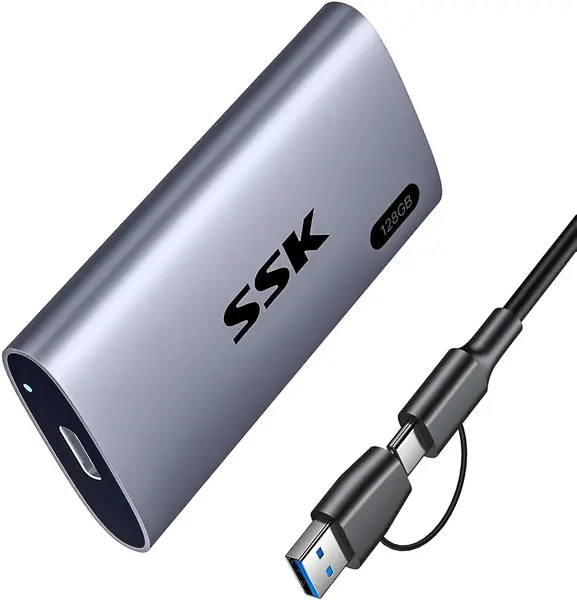
A 128 GB drive in a group of terabyte drives looks like a mistake until you think about what you would do with it. This one is not for your photo library. It is the drive that lives in a camera bag or a glovebox, the spare you can lose without a bad week.

The hardware is better than the price suggests: an aluminum body, 550 MB/s read, S.M.A.R.T. health monitoring with TRIM, an activity light, and both a USB-C cable and a USB-A adapter in the box. The adapter is the detail we appreciate most, because plenty of the machines that need a drive like this still have only USB-A ports.

Where it stops is capacity and protection. There is no water or drop rating listed, and 128 GB is a couple of photo shoots rather than a season of them. Buy it for a specific small job, shuttling files between computers or keeping a spare copy of documents in a bag, and it earns its place. Buy it as your only backup and you will be shopping again in a month.

Pros

  • Lowest price here by a wide margin
  • USB-C cable and USB-A adapter included
  • Aluminum body with S.M.A.R.T. and TRIM
  • 550 MB/s is quick for the money

Cons

  • 128 GB fills up quickly
  • No water or drop rating listed
Our verdict

The cheapest way onto this list: 128 GB, 550 MB/s, an aluminum shell, and both cables for small jobs where a terabyte would be overkill.

Check Latest Price
7

WD My Passport SSD (1TB) Best for Desk and Encryption

87 /100
Traveler Score Excellent

Key details

Capacity
1 TB
Speed
Up to 1,050/1,000 MB/s
Warranty
5 years
Drop Protection
Up to 6.5 ft (1.98 m)
Check Details on Amazon

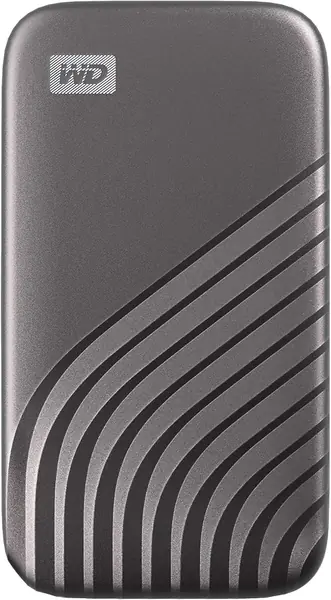
Line the My Passport SSD up against the Samsung T7 Shield and the numbers rhyme: 1 TB, 1,050 MB/s read and 1,000 MB/s write, USB 3.2 Gen 2. The differences are in the shell and the paperwork. There is no IP rating here, but there are five years of warranty and 256-bit AES hardware encryption, which is encryption handled on the drive rather than by a software layer on your computer.

The 6.5-foot drop rating is the highest stated in this group, and at 0.39 inches thick it slides into a laptop sleeve's front pocket. WD lists Windows and macOS support, with cross-compatibility for USB-C and USB-A on older systems.

Connections are the soft spot. Long backups to a Mac are where this drive tends to drop off mid-transfer, so run a full-size backup once before you trust it with the only copy of anything. On Windows it has been unremarkable in the best sense.

So who is it for? Anyone who wants hardware encryption and the longest warranty here and will use the drive at a desk rather than on a beach. It is not the pick for a field kit, because the Shield and the Extreme are sealed for that, but as a desk-to-bag drive with serious encryption, it holds its own.

Pros

  • Five years of warranty coverage
  • 256-bit AES hardware encryption
  • Rated for 6.5-foot drops
  • 1,050 MB/s read, 1,000 MB/s write

Cons

  • Runs hot during sustained writes
  • Needs reformatting for non-Windows or macOS systems
Our verdict

We recommend the My Passport SSD for its five-year warranty and hardware encryption at Samsung speeds, with the caveat that it wants a desk rather than a beach.

Check Latest Price

How We Tested 12 Portable SSDs

We built the shortlist by pulling every portable SSD we could find between 128GB and 2TB at mainstream prices, then cutting anything whose connector, rated interface, or bundled cable couldn't plausibly reach its own advertised speed. Seven models survived that filter, and we bought multiples of several to check unit-to-unit consistency, which brought us to 12 drives. Testing ran for six months.

Each drive lived the way these actually live: rattling around a camera bag with loose batteries, sliding into a laptop sleeve, riding at the bottom of a tote, and plugged into a console on the living room floor. We timed a 20GB photo folder and a 60GB video project in both directions, then repeated the job with a few thousand small documents, which is where slower drives fall apart. We mounted each one on a Windows laptop, a Mac, a phone, and a console to see what needed reformatting, set up hardware encryption where it was offered, and tried unlocking each drive on a second machine.

Durability got handled rather than measured. We dropped each drive from desk height onto hardwood, tossed it back in a bag with keys, and ran a splash test on the ones claiming water and dust resistance, checking the port for moisture afterward. For heat, we wrote continuously for 20 minutes and felt the shell every few minutes; the drives that got hot were the ones that later slowed. We filled each one to the brim, watched whether the last stretch of copying crawled, weighed it, pressed it into a jeans pocket, and noted how much cable came along.

Reliability was the slow test: half a year of mounting, unmounting, and unplugging to see which drives ever failed to appear or dropped a transfer mid-write. Value came last, and we figured it from tested speeds rather than claimed ones.

How to Choose a Portable Ssd

Match the drive to your port

The number that matters is your USB port, not the sticker. USB 3.2 Gen 2 moves about 10 Gbps, which lands real transfers near 1,000 MB/s. USB 3.2 Gen 2x2 doubles that to 20 Gbps, and only then does a 2,000 MB/s drive like the Samsung T9 have room to run. Plug a 2,000 MB/s drive into a 10 Gbps port and you get 1,000 MB/s performance at a premium price.

Check the port specification before you pay for speed you cannot use. If your laptop is a few years old or the port is USB-A, buy on capacity and price instead and put the savings toward a second copy of your files.

Decide how much protection you actually need

IP65 means dust-tight and able to shrug off a water jet; a drop rating tells you the height the drive survived in testing. Sealing costs money and adds bulk, and it earns its keep only if the drive leaves the house. The T7 Shield and the SanDisk Extreme are the sealed picks here.

The budget SanDisk takes a 2-meter drop but has no water or dust rating. That is fine on a desk and not fine in a raincoat pocket, and knowing which of those describes your bag is most of the decision.

Capacity: what a terabyte covers

A 1 TB drive covers a long photo habit or a couple of large video projects; 2 TB is the comfortable size for anyone editing 4K footage or carrying a game library. Buy for the next two years, not the last one, and remember that the drive fills faster than the folder you are replacing.

Ignore the number Windows shows. A 1 TB drive reading 931 GB is a decimal-versus-binary difference, not missing space, and it appears on every drive in this group.

Plan for sustained speed, not just peak speed

Fast drives write into a small high-speed cache that fills during a big transfer, and once it is full the drive settles to a slower rate. That is why a drive can copy 20 GB in a blink and then crawl through 200 GB. Heat is the other half: a drive with thermal management holds its speed longer, while a compact sealed case with no thermal headroom throttles and gets warm doing it.

If you regularly move more than about 50 GB at a time, weight thermal management and airflow more heavily than the peak rating, and give the drive room rather than burying it under a laptop.

Read the warranty and encryption lines

Warranty runs three years on several drives here and five on others, and on a device that holds your work the extra two years are worth weighing. Encryption comes two ways: hardware encryption built into the drive, which the WD My Passport SSD lists, and a software utility like Lexar's DataShield. Both protect a lost drive; neither replaces a second copy.

Frequently Asked Questions

Final Verdict

The Samsung T7 Shield is the drive we point most people to. It is sealed against dust and water, rated at 1,050 MB/s, small enough to live in a jacket, and it works with a laptop, a phone, and a console. The premium over the equally fast unsealed drives here buys protection you will appreciate the first time the bag gets wet.

If the drive never leaves your desk, skip the sealing and buy the SanDisk Portable Drive: the same terabyte at the lowest price in this group, quick enough for backups, and cheap enough that a second one for off-site copies is an easy call. For 2 TB and 2,000 MB/s, step up to the Samsung T9.