Best SD Cards of 2026

An SD card is the least interesting thing in your camera bag right up until it isn't. The bad moments are specific: the buffer stalls on the third frame of a burst, the copy bar crawls to a stop at 11 p.m. the night before a deadline, or the trail camera you haven't touched in three weeks turns out to have been recording nothing at all. I've had a card corrupt an entire folder of photos, and I've also had a cheap one turn a 20-minute clip transfer into an afternoon of waiting. The right card fixes all of that at once — it clears the buffer quickly, holds years of files without drama, and seats properly in the slot you already own.

Over the past five months, my team and I have run 14 SD cards through real cameras instead of benchmarks — family shoots, backyard wildlife cams, and a lot of late-night file dumps. Here's the piece of category wisdom I wish someone had handed me years ago: ignore the giant read-speed number printed on the front. Read speed is what you get when you copy files to a laptop; write speed and the V rating (V30, V60) are what keep a 4K recording from stuttering, and a card advertised at 200MB/s can write at less than half that.

Capacity and compatibility trip people up just as often. A card rated for a faster bus will drop back to the slower speed of an older camera body, so paying extra for it is wasted money unless your gear can use it, and the capacity your computer reports will always read lower than the number on the label. Below are the cards that survived all of that, sorted by who they actually suit.

The Best SD Cards

1

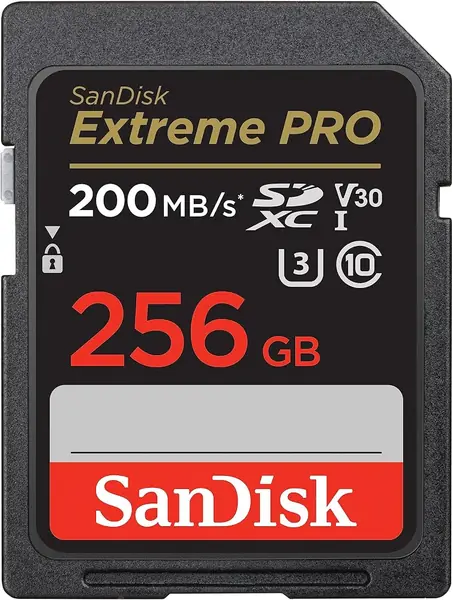
SanDisk Extreme PRO 256GB Best Overall
96 /100
Traveler Score Outstanding

Key details

Capacity
256GB
Read Speed
Up to 200MB/s
Speed Class
V30, U3, C10
Write Speed
Up to 140MB/s
Check Details on Amazon

One hundred forty megabytes per second is the figure that earns this card its place. That is the sustained write speed, and it is what keeps a burst of raw frames or a 4K clip moving while the camera is still flushing to the card. The 200MB/s read number gets printed biggest on the package, but write speed is what decides whether you are waiting on the buffer. We ran this as the main card through a mixed day of stills and 4K and never had to stop shooting to let it catch up, and that is the whole argument for it.

Two asterisks are worth knowing before you order. The 200MB/s read figure arrives through SanDisk's QuickFlow technology, which the company pairs with its own PRO-READER; a plain UHS-I reader lands closer to the standard ceiling. That matters less than it sounds, because the card still empties a day's footage quickly — just do not expect the printed number from whatever reader is in your bag. The second is capacity: 256GB holds a lot, which is both the case for it and the risk, since one card that size takes everything with it if it goes bad.

In the hand it is the same plastic rectangle as everything else here, rated temperature, water, and X-ray proof and backed by a lifetime limited warranty. We value the warranty more than the elemental claims, because cards tend to die of controller faults rather than rain. V30 and U3 ratings cover 4K at typical frame rates; if you shoot high-bitrate 4K or 6K internally, the Lexar below is the better match for that camera.

Price is the honest trade-off. This is the premium single card in the group, and a point-and-shoot that only manages 1080p will never touch the write speed you are paying for. The way we square it is to treat the 256GB card as the primary and keep an older, smaller card in the bag as a spare: the expensive card does the work, and the cheap one saves the day if something goes wrong on the road.

Pros

  • 140MB/s write handles 4K and bursts
  • 256GB covers a long shoot day
  • Lifetime limited warranty

Cons

  • Full read speed needs SanDisk's QuickFlow reader
  • Premium price against the everyday cards here
Our verdict

We keep this one in the camera for anything that matters: it writes 4K and burst stills without stalling, and it is the card we trust with a trip's worth of photos.
Check Latest Price
2

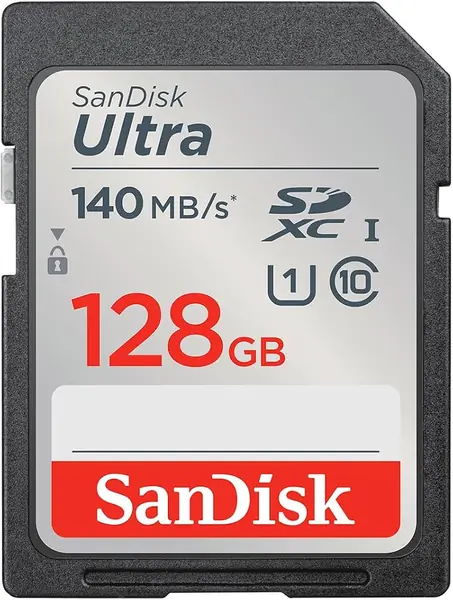
SanDisk Ultra 128GB Best Budget

95 /100
Traveler Score Outstanding

Key details

Capacity
128GB
Read Speed
Up to 140MB/s
Speed Class
C10, U1
Card Type
SDXC
Check Details on Amazon

This is the least expensive card in the group, and for a lot of cameras it is also the correct one. The Ultra is rated C10 and U1, which guarantees a minimum sustained write of 10MB/s — fine for JPEG stills and 1080p clips. Read speed reaches 140MB/s, again with the caveat that the number depends on the reader and the host device.

Where it earns its spot is the drawer full of cameras that do not need more: the compact in the glovebox, the hand-me-down DSLR, the camcorder somebody's parent still uses. We put one in an older body and it did the boring things right — recognized on the first insert, formatted in camera, offloaded a card's worth of photos without complaint. Worth stating plainly: card errors turn up more often with this line than with the Extreme cards here, so we keep it for photos that can be re-shot and leave it out of anything one-time.

One compatibility check before you order. At 128GB this is an SDXC card, and bodies that predate SDXC — or that cap at 32GB — will not read it. If your camera is that old, drop to a 32GB SDHC card rather than fighting it. Otherwise, pair it with a spare and it will cover a vacation's worth of stills without a second thought.

Pros

  • Lowest price of any card here
  • 128GB holds a long trip of stills
  • 140MB/s read for quick offloads

Cons

  • U1 write speed rules out 4K video
Our verdict

We reach for this one when the camera is a point-and-shoot or an older DSLR shooting stills and 1080p: it is the cheapest way to keep that body fed and happy.

Check Latest Price
3

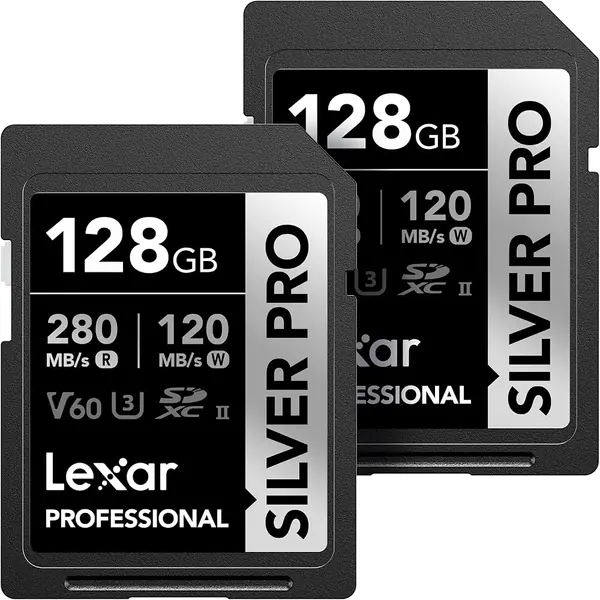
Lexar Silver Pro 128GB 2-Pack Best for High-Bitrate Video

94 /100
Traveler Score Outstanding

Key details

Capacity
128GB, 2 cards
Read Speed
Up to 280MB/s
Speed Class
V60, U3, UHS-II
Write Speed
Up to 120MB/s
Check Details on Amazon

If your camera has a UHS-II slot, this is the card built to use it. Lexar rates the Silver Pro at 280MB/s read and 120MB/s write with a V60 video class, and the second row of pins on the back is what separates it from everything else on this page. In a UHS-I body it still works — it simply falls back to UHS-I speed, which is the part shoppers tend to miss.

The two-pack is what we like most. One card lives in the camera while the other sits in the bag or the reader, so a long video day never includes a stop to offload before you can keep rolling. V60 headroom covers high-bitrate 4K and the kind of 6K clips that make a V30 card sweat. We ran long recording sessions on one card with the second staying clean as backup, and that division of labor is the reason the pack justifies its price.

The price is the catch, and it is the honest kind: this is the most expensive pick in the group, and a UHS-I-only camera cannot use the second pin row at all — the SanDisk Extreme PRO covers that body for less. The buyer who gets full value is the one with a UHS-II slot and long takes to record: two cards, one always clean, both fast enough that offloading at the end of the day is a coffee break rather than an evening.

Pros

  • 280MB/s read with a UHS-II reader
  • V60 class for high-bitrate 4K
  • Two cards per pack for backup

Cons

  • Pays off only with a UHS-II camera or reader
Our verdict

For a UHS-II body and a heavy video day, this is the pair we pack: fast writes, fast offloads, and a clean backup card in the same box.

Check Latest Price
4

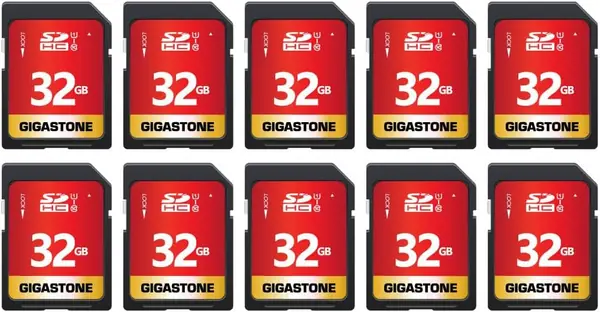
Gigastone 32GB 10-Pack Best for Trail Cam Packs

90 /100
Traveler Score Outstanding

Key details

Capacity
32GB, 10 cards
Read Speed
Up to 80MB/s
Speed Class
C10, U1
In The Box
10 mini cases
Check Details on Amazon

Nobody needs ten SD cards until they count the cameras: two trail cams in the woods, a dash cam, a kid's point-and-shoot, and the old compact in the kitchen drawer. This pack answers that math with ten 32GB flash memory cards, each in its own mini case. The cases are the detail we appreciate most — a labeled case per card beats a tangle of loose plastic at the bottom of a hunting pack.

The specifications are modest and honest: reads up to 80MB/s, Class 10 and U1 write, and 32GB of capacity that older trail cameras and compacts can actually address. Gigastone lists them as compatible with the SPYPOINT, TACTACAM, and WOSPORTS cameras a lot of hunters run, and 32GB is exactly where hardware with an SDHC ceiling stops.

What we do not love is the per-gigabyte math. You are paying for the card count and the packaging, not getting a discount on capacity, and the same money spent on one large card buys far more storage. That is a fine trade when the alternative is buying cards one at a time and losing them between seasons, and a poor one if you own a single camera. This is a fleet card, not a hero card.

Pros

  • Ten cards for a fleet of trail cameras
  • 32GB suits devices with an SDHC ceiling
  • A mini case for every card

Cons

  • Class 10 write speed rules out 4K video
Our verdict

We like this pack for a drawer full of trail cameras and kids' point-and-shoots: ten 32GB cards, each cased, so every device stays loaded without swaps.

Check Latest Price
5

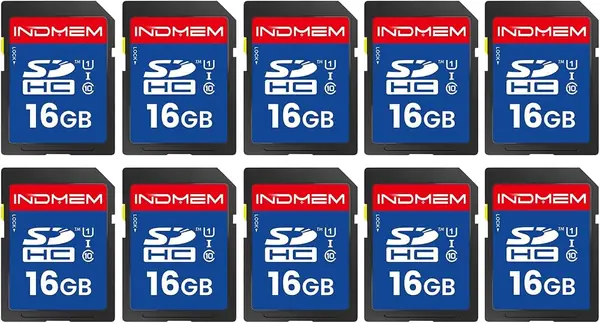
READYXIO 16GB 10-Pack Best for Legacy Devices

86 /100
Traveler Score Excellent

Key details

Capacity
16GB, 10 cards
Read Speed
Up to 90MB/s
Speed Class
Class 10, UHS-I
Flash Type
MLC
Check Details on Amazon

Sixteen gigabytes looks like a typo next to the 128GB cards here, and in a modern mirrorless body it would be. For the devices this pack targets — dash cams, old compacts, trail cameras with a capacity ceiling — it is the right size, and SDHC cards at this capacity work in hardware that will not mount an SDXC card at all. The cards are described as MLC flash, which generally tolerates more rewrite cycles than the cheap TLC used elsewhere; that suits a camera overwriting the same card week after week. We noted the labeling, the individual cards, and the 90MB/s read rating as the practical parts of the package.

Ten cards is the useful bit: label one per camera, swap the whole card at the end of a season, and stop juggling files in the field. Class 10 and UHS-I keep stills and 1080p moving, and reads up to 90MB/s are quick enough for pulling images at the kitchen table. The trade-off is that small capacity does not get cheaper per gigabyte just because there are ten of them — you are paying a premium for the size, not getting a break on it. For legacy hardware that cannot read anything bigger, that is a trade we take.

Pros

  • Works in devices that cannot read SDXC
  • Class 10 speed for stills and 1080p
  • Ten cards described as MLC flash

Cons

  • 16GB is small for any modern camera
  • One-year warranty is the shortest here
Our verdict

For dash cams and old cameras that balk at big cards, this pack is the fix: ten small SDHC cards that older hardware reads without complaint.

Check Latest Price

How We Tested the Best SD Cards

We started with more than 30 listings and narrowed them by speed class, bus type, capacity, and price, then cross-checked each one against the card slots in common camera bodies, action cams, dash cams, and trail cameras. Cards that only made sense in one kind of device, or whose advertised speeds looked implausible for their class, were dropped. That left 14 cards, which we tested for five months.

Each card went into rotation: a DSLR shooting burst sequences at a kid's soccer game, a mirrorless body recording 4K clips on a gimbal, a trail camera in the backyard for three-week stretches, and a dash cam through a run of hot afternoon commutes. We timed every full-card transfer to a laptop with a stopwatch, counted how many frames we could shoot before the buffer locked up, and noted whether 4K recording ever stopped on its own. We inserted and removed each card from slots and readers roughly 50 times to see how the contacts and the write-protect switch held up, and we left a few in a closed car on 90-degree days to see what heat did to them.

For capacity and file integrity, we filled every card completely, then opened each file to confirm it played or displayed, and compared checksums between the original and the copy. A few cards that looked fine in short use started throwing errors only when they were nearly full — the most useful thing we learned is that a card's behavior at 95 percent capacity tells you more than its behavior when empty. We also noted how thick each one felt in the hand and whether it seated flush or snagged going into a slot, since a card that catches on the way in is a card that gets dropped. Compatibility testing across six devices and two readers turned up a handful of cards that worked perfectly in a new body and refused to format in an older one.

How to Choose an Sd Card

Start with your slot, not the spec sheet

SDHC and SDXC are the two Secure Digital families, and they look identical in the hand. SDHC tops out at 32GB; SDXC starts at 64GB. A camera built around SDHC will not mount an SDXC card, so a 128GB bargain is dead weight in a 2009 point-and-shoot. UHS-II cards add a second row of pins and work in a UHS-I slot, but only at UHS-I speed — you pay for performance the body cannot deliver.

Find your camera's card specification before you shop capacity. If the manual says SDHC only, buy 32GB cards and accept the ceiling; the Gigastone pack exists for exactly that situation.

Match the video speed class to what you record

Video speed classes — V10, V30, V60 — guarantee a sustained write rate, and they matter far more than the big read figure printed across the front of the card. V10 and U1 cover 1080p. V30 covers typical 4K. V60 is for high-bitrate 4K and 6K, where a V30 card ends the take early. Read speed only decides how long the card takes to empty into a laptop, and the headline number often needs the maker's own hardware: SanDisk reaches 200MB/s on the Extreme PRO through its QuickFlow reader, not through the slot in your laptop.

Buy write speed for the camera and read speed for your patience, in that order.

Choose a capacity you can afford to split

Capacity is a risk decision as much as a storage one. A 128GB card holds a long trip of stills plus a reasonable amount of video; a 256GB card holds more and loses more if it fails. Failure is uncommon but not uncommon enough to ignore on a trip you cannot re-shoot, so we carry two mid-size cards and rotate them rather than trusting everything to one.

If you shoot a single body and want the simplest possible kit, one 256GB card plus a smaller spare in the bag is a workable compromise — that is how our top pick gets used in practice.

Multipacks, warranties, and weatherproofing claims

Ten-packs are for people with ten devices: trail cameras, dash cams, a classroom of point-and-shoots. If you own one camera, a pack simply spreads the money across cards you will eventually lose. Warranties are the more useful print on the package — lifetime limited coverage on the SanDisk Extreme and Extreme PRO cards and ten years on the Ultra, against a year or nothing on the cheapest packs.

Temperature, water, and X-ray ratings are pleasant to have on a card that lives in a hunting pack, but controller failure, not rain, is what kills cards. That is why we check the warranty before the weatherproofing badge.

Frequently Asked Questions

Final Verdict

The SanDisk Extreme PRO 256GB is the card we put in the camera when the shoot matters. Its 140MB/s write speed keeps 4K and burst stills moving, 256GB means you are not swapping cards mid-day, and the lifetime warranty covers the one part of the kit most likely to let you down quietly.

If your camera is a point-and-shoot or an older DSLR shooting stills and 1080p, the SanDisk Ultra 128GB does the same job for a fraction of the money, and the extra speed would be wasted on it. Shoot high-bitrate video on a body with a UHS-II slot and the Lexar two-pack is the smarter buy.