Best microSD Cards of 2026

A memory card has one job, and when it fails, it fails quietly. No warning light before a card corrupts a birthday video, no error message when a dash cam has been recording to something that can't keep up. A good one avoids all that by doing two unglamorous things well: keeping up with whatever is recording, and holding on to the data afterward.

I lost half a vacation's photos to a freebie card once, which is why we now test these longer than feels necessary. My team and I have spent the past four months with 15 cards in phones, dash cams, security cameras, drones, and a game console. The big print — read speed — tells you less than sustained write speed, which is what actually decides whether 4K footage records cleanly or stutters and splits.

Capacity is the other trap: cards are sold in decimal gigabytes, so a slice vanishes the moment a device formats one, and price per usable gigabyte swings hard across the sizes below. The right pick depends mostly on where the card is going to live.

The Best microSD Cards

1

Amazon Basics 128GB microSDXC Best Overall
97 /100
Traveler Score Outstanding

Key details

Capacity
128 GB
Speed Class
U3, V30, A2
Read Speed
Up to 100 MB/s
Usable Capacity
116 GB or more
Check Details on Amazon

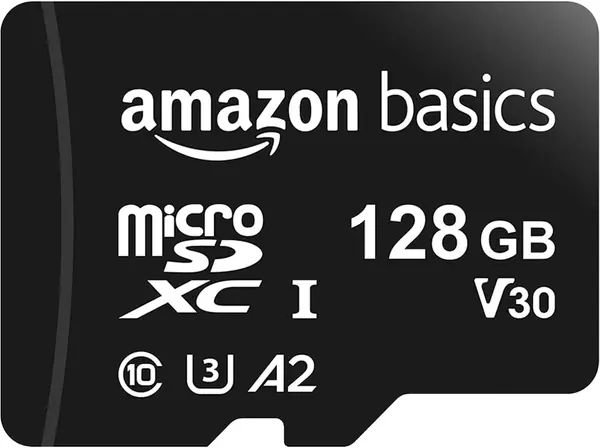
The number that matters on a 128 GB card isn't 128. Amazon Basics prints the honest figure in its own specifications — 116 GB or more of usable space once formatting overhead comes out — and that roughly nine percent gap is the difference between a card that is what it says and one that disappoints on day one. The speed ratings are the bigger reason we point most people here first: UHS-I U3, V30, and A2 in a single card.

Each badge answers a different question. U3 and V30 describe sustained write performance, which is what keeps 4K video from stalling in a drone or an action camera. A2 is about reading small files quickly, so the card can run apps on an Android phone, a tablet, or a handheld console instead of only holding photos. The 100 MB/s read figure is a best case that depends as much on your reader as on the card, which is worth knowing before you blame the card for a slow transfer.

We tried it in a phone, a camera, and a handheld, and what stood out was how little thought it required: it mounted, formatted, and stayed out of the way, which is the entire job. The durability ratings are more useful in practice than they sound. IPX6 water resistance, an operating range of −10°C to +80°C, and resistance to X-rays and magnets cover the two most ordinary ways a card gets hurt: a scanner tray and a forgotten pocket.

One line to read twice: the listing supports the original Nintendo Switch and explicitly not the Switch 2, so don't buy it for the newer console. And if your card is going to sit in a dash cam recording all day, the SanDisk High Endurance below is the better spend. This one is built for devices you fill and empty.

Pros

  • U3, V30, and A2 cover 4K video and app loading
  • Publishes usable capacity: 116 GB or more
  • Water, temperature, X-ray, and magnet resistant
  • Full-size SD adapter included

Cons

  • 12-month warranty, the shortest in this group
Our verdict

We recommend this to anyone replacing a full phone or stocking a camera bag: it has the speed ratings 4K and apps need, and 116 usable gigabytes without the guesswork.
Check Latest Price
2

SanDisk High Endurance 128GB Best for Dash Cams

96 /100
Traveler Score Outstanding

Key details

Capacity
128 GB
Speed Class
C10, U3, V30
Read Speed
Up to 100 MB/s
Endurance Rating
Up to 10,000 hours
Check Details on Amazon

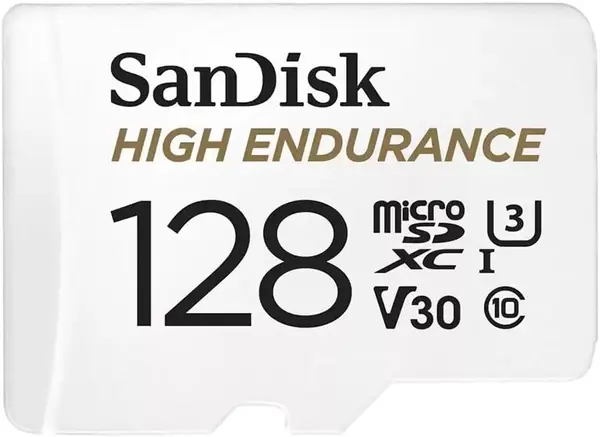
A dash cam doesn't store footage so much as recycle it. The card is written, overwritten, and written again every few minutes, in a car that bakes in July and freezes in January. That cycle, not capacity, is what retires ordinary cards early. SanDisk rates this one for up to 10,000 hours of recording, a figure that assumes Full HD and drops as you move up to 4K.

That rating makes it the card we want installed and forgotten, which is the highest compliment loop recording allows. The rest of the specification is deliberately plain: 128 GB, Class 10, U3, V30, up to 100 MB/s read, and an SD adapter in the box for a laptop slot. It works perfectly well in a Switch or a phone too — you're just paying a little for endurance those devices will never use.

The habit worth building is formatting the card in the camera rather than on a computer; that's the first thing to try when a dash cam refuses a new card, and it costs nothing. Then keep an eye on the footage list as the months pass. A card in continuous service does eventually wear out, which is the job rather than a defect, and one that starts losing clips is telling you to replace it before it stops recording entirely.

Pros

  • Rated for up to 10,000 hours of continuous recording
  • Lifetime manufacturer warranty and an adapter
  • U3 and V30 cover 4K when you need it
  • Temperature, water, shock, humidity, and magnet resistant

Cons

  • 10,000-hour rating assumes Full HD, not 4K
Our verdict

If a card lives in a dash cam or a doorbell camera and gets rewritten every few minutes, buy this one: rated for 10,000 hours of recording and covered for life.

Check Latest Price
3

SanDisk Extreme PRO 512GB Best for 4K Video

95 /100
Traveler Score Outstanding

Key details

Capacity
512 GB
Speed Class
A2, U3, V30
Read Speed
Up to 200 MB/s
Write Speed
Up to 140 MB/s
Check Details on Amazon

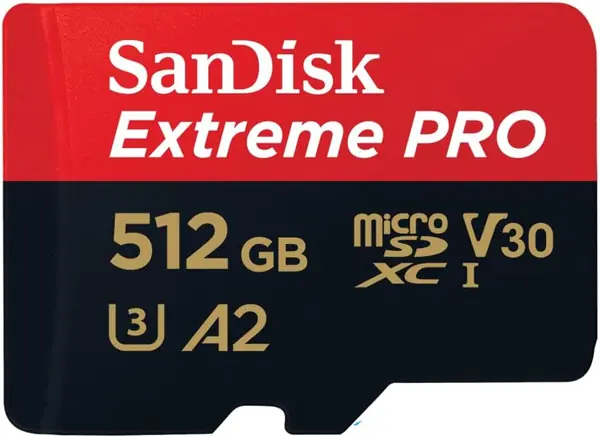
This is the most expensive card in the group by a wide margin, and the premium buys two numbers that matter if you shoot video for a living or for the fun of it: up to 200 MB/s read and up to 140 MB/s write. Everything else here reads at 100 MB/s or less and publishes a slower write rating than that.

The A2 rating is the quieter advantage. It means apps load from the card instead of stalling on it, which is what makes a card this size usable in a handheld console or an Android tablet rather than a holding pen for photos. V30 and U3 cover 4K recording, and SanDisk throws in an SD adapter and a copy of RescuePRO Deluxe, recovery software that stops being a novelty the first time a card misbehaves.

What we noticed in testing happened at the end of the day, not during it. A full card emptied into a laptop through a UHS-I reader moves faster than the 32 GB and 64 GB cards here, and that's the moment a fast card is worth its price. While you're shooting, the gap between this and a good U3 card is smaller than the numbers suggest, because your camera's buffer and bitrate set the ceiling.

The 512 GB capacity is the other half of the argument. One big card means fewer swaps in the field and less chance of losing a fingernail-sized object in a hotel room, and at 4K bitrates the smaller cards here fill faster than you expect — which is why, on a two-week shoot, this is the one we pack.

Pros

  • Up to 200 MB/s read and 140 MB/s write, fastest here
  • A2 app performance for consoles and tablets
  • 512 GB holds a long trip without a swap
  • SD adapter and RescuePRO Deluxe included

Cons

  • The priciest card here by a wide margin
  • Two-year warranty, shorter than SanDisk's High Endurance card
Our verdict

For 4K shooters who offload a lot of footage, the Extreme PRO earns its premium: the fastest write speed here, A2 app performance, and recovery software in the box.

Check Latest Price
4

PNY Elite 32GB 5-Pack Best Multipack

94 /100
Traveler Score Outstanding

Key details

Capacity
32 GB per card
Speed Class
Class 10, U1, V10
Read Speed
Up to 100 MB/s
Pack Size
5 cards
Check Details on Amazon

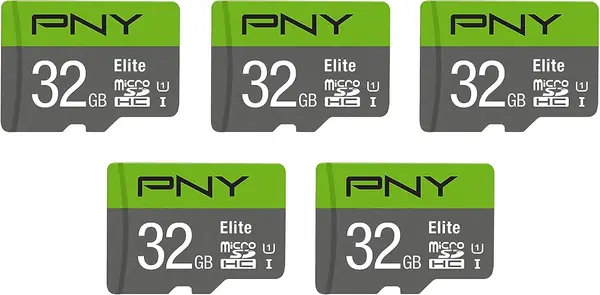
Five cards sounds like overkill until you count the devices: two security cameras, a dash cam, a kid's console, and the drawer where the spare lives. This pack exists for that household, and it's the least expensive route here to a card in every slot.

What you get is deliberately modest: 32 GB microSDHC cards, Class 10, U1, V10, up to 100 MB/s read, and an SD adapter with each one. A 32 GB card shows roughly 29 GB usable, which is standard rather than a shortfall, and V10 is honest for 1080p recording — home cameras, a dash cam set to Full HD, a retro handheld, a Raspberry Pi build.

Where it stops is headroom. U1 and V10 aren't what you want for 4K or a drone shooting high-bitrate footage, and that's the point where the 64 GB Elite-X pack earns the extra. Test all five on the day they arrive — write a large file to each and read it back — because the moment to find a bad card is before it's sitting in a camera over the driveway.

Pros

  • Five cards and five adapters in one pack
  • Cheapest route here to cover several 1080p devices
  • Limited lifetime warranty
  • Well suited to security cameras and retro handhelds

Cons

  • U1 and V10 stop at 1080p, not 4K
Our verdict

This is the pack we recommend to a household with more devices than cards: five 32 GB cards with adapters, for about what one premium card costs.

Check Latest Price
5

Patriot EP 64GB Best Budget Single Card

93 /100
Traveler Score Outstanding

Key details

Capacity
64 GB
Speed Class
V30, A1, Class 10
Read Speed
Up to 90 MB/s
Warranty
3 years
Check Details on Amazon

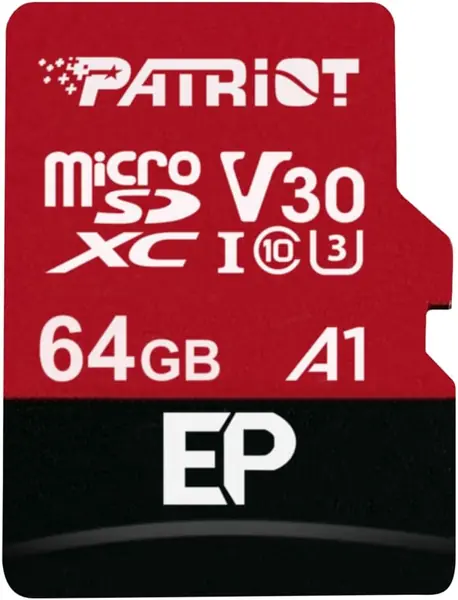
The least expensive single card here is also one of a handful with both V30 and A1 on the label: V30 for 4K-capable writes, A1 so a phone or tablet can run apps from it. For a straightforward job — adding storage to an Android phone, feeding a trail camera, putting a card in a dash cam set to 1080p — that's the whole checklist, and we like that it doesn't ask you to decode a wall of marketing first.

What you don't get is information. The listing's entire feature list is "Capacity 64GB," so the class ratings are doing all of the work, and there's no endurance figure for a card that records around the clock — fine in a phone, less reassuring in a camera that never sleeps. The three-year warranty sits in the middle of this group, and this is the kind of card we buy two of rather than one, so a formatted spare is already waiting when a device needs it.

Pros

  • V30 and A1 ratings for the lowest outlay here
  • 64 GB with an SD adapter in the package
  • Three-year limited warranty

Cons

  • 90 MB/s read is the slowest among the V30 cards here
Our verdict

One card, 64 GB, V30 and A1 — it's the least money here for a single device, and the card we hand someone who just needs more room.

Check Latest Price
6

PNY Elite-X 64GB 3-Pack Best for Drones and Cameras

92 /100
Traveler Score Outstanding

Key details

Capacity
64 GB per card
Speed Class
U3, V30, A1
Read Speed
Up to 100 MB/s
Pack Size
3 cards
Check Details on Amazon

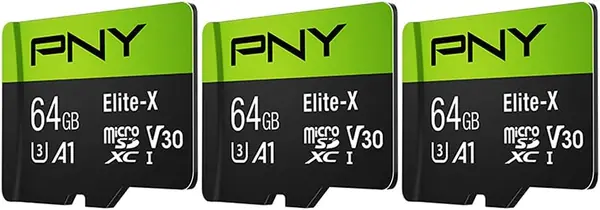
Two things change when you step up from the 32 GB PNY pack: each card doubles to 64 GB, and the speed class jumps from U1 and V10 to U3 and V30. It costs the same as that pack, which makes this the one to take if anything in your bag records 4K.

That combination lands in a useful middle. U3 and V30 put 4K recording on the table for an action camera or a drone, A1 keeps app loading on a tablet tolerable, an SD adapter comes with each card, and 64 GB per card is enough for a couple of days of clips before you have to think about offloading. For a two-camera household that also shoots video on weekends, this is the pack we reach for.

Practical notes, since this pack is the one most likely to end up in several devices at once: format each card in the device that will use it, and do it on day one, because a card that refuses to format is the usual way a bad one announces itself. PNY's lifetime limited warranty covers the rest, and is why the higher cost per card than the bulk packs is easier to accept.

Pros

  • U3 and V30 bring 4K recording to a multipack
  • Three 64 GB cards, each with an adapter
  • A1 app performance for tablets and consoles

Cons

  • Read speed stays at 100 MB/s like the cheaper cards
Our verdict

A useful middle: 64 GB per card, U3 and V30 for 4K, in a pack that costs the same as the 32 GB option.

Check Latest Price
7

GIGASTONE 32GB 5-Pack Best for Home Security Cams

91 /100
Traveler Score Outstanding

Key details

Capacity
32 GB per card
Speed Class
U1, A1, Class 10, V10
Pack Size
5 cards
Read/Write Speed
Up to 90/20 MB/s
Check Details on Amazon

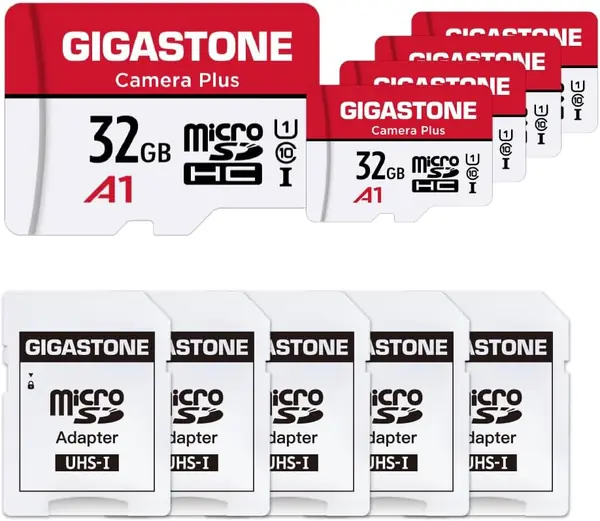
Twenty megabytes per second is a number that would disqualify a card from a drone kit and never comes up in a Wyze cam. That's the trade here: up to 90 MB/s read for pulling footage, a modest 20 MB/s write, and a V10 rating that promises Full HD and nothing beyond it.

Sized for loop recording, five 32 GB cards are a rolling window rather than an archive, since the camera overwrites the oldest clips and capacity stops mattering once the loop fills. They carry A1 and Class 10 as well, work in Roku players and security cameras, and arrive with adapters. Waterproofing, shockproofing, temperature resistance, and X-ray resistance are all on the spec sheet.

The other thing to weigh is price per card. Bought five at a time, this is the more expensive route to 32 GB in this group, and the money goes toward ruggedness and support rather than speed.

Our take: this is the pack for devices that live on a shelf and record 1080p, where the five-year warranty — the longest here — matters more than a speed badge. Put one in a drone and you'll meet that 20 MB/s write speed immediately, in the form of dropped frames.

Pros

  • Five-year warranty, the longest in this group
  • Five 32 GB cards with adapters included
  • Water, shock, temperature, and X-ray resistant
  • Formatted and sized for Full HD home cameras

Cons

  • 20 MB/s write rules out 4K and action cameras
Our verdict

Buy it for a wall of home cameras that never move: five 32 GB cards, a five-year warranty, and a write speed that rules out anything more ambitious.

Check Latest Price
8

Bliksem 64GB 5-Pack Best for Bulk Spare Cards

88 /100
Traveler Score Excellent

Key details

Capacity
64 GB per card
Speed Class
Class 10, A1
Read Speed
Up to 80 MB/s
Pack Size
5 cards
Check Details on Amazon

Five 64 GB cards add up to 320 GB, and it's the cheapest storage per gigabyte in this group by a comfortable margin. The arithmetic is the sales pitch: leave one in the car stereo, one in a trail camera, one in each kid's tablet, and keep a spare in the bag.

The specification is the everyday tier and doesn't pretend otherwise: Class 10 and A1, up to 80 MB/s read, an adapter with each card, a three-year warranty, and a water-resistance claim. The TF-card wording on the packaging is the same format under its other name. In a phone, a tablet, a 1080p action camera, or a car stereo full of music, that's all you need.

What the price buys less of is track record. Beyond Class 10, A1, and a read rating, there's little on the sheet to argue with — no endurance figure and no video-speed class, nothing to suggest these were built for a device that records around the clock.

So buy it as a supply, not as the single trusted card. Fill the ordinary slots — the car, the spare tablet, the camera that only ever shoots 1080p — and test each card before it goes into service, since testing five takes twenty minutes and discovering a bad one in the field takes a trip.

Pros

  • Cheapest storage per gigabyte in this group
  • 320 GB spread across five 64 GB cards
  • A1 and Class 10 suit phones and 1080p cameras
  • An SD adapter comes with each card

Cons

  • No video-speed class, so no 4K recording
  • Three-year warranty, shorter than PNY's or SanDisk's lifetime coverage
Our verdict

The bulk buy: five 64 GB cards at the lowest cost per gigabyte here, best treated as a supply for drawers and cars rather than the card that holds your trip.

Check Latest Price

How We Tested MicroSD Cards

Our shortlist started with research, not hands-on use. I pulled listings that stated a performance class, filtered for capacity that matched the job — 32GB and 64GB for older security cams and handheld consoles, 128GB and up for phones and drones — and for a price that held up per usable gigabyte. Anything that couldn't name its speed class got cut, and we mixed store brands in with legacy memory makers so the comparison wasn't all one shelf. That left 15 cards, which we bought ourselves.

Every card got a full write-and-verify pass, filling it completely with a mixed folder of photos and 4K video to confirm it held the capacity printed on the label. We timed that same folder copying back off the card, then went after sustained write speed instead of burst: each one recorded 4K continuously for half an hour in a dash cam parked in the sun and in a security camera pointed at a busy sidewalk, and we scrubbed the footage for dropped frames and the split where a card fell behind.

In between, they lived the way cards actually live — swapped among a phone, a tablet, a game console, and a drone, ejected and re-seated more times than I can count, and formatted inside each device rather than on a laptop to see which 32GB cards older cameras accepted without a workaround. We noted whether each one seated flush without force, whether the adapters gripped the card or let it slip, whether the label or the contacts wore, and whether a card that spent a month in a hot glovebox still read cleanly.

Value was mostly arithmetic — price per usable gigabyte, and whether a multi-pack beat buying singles for someone filling several cameras at once.

How to Choose a Microsd Card

Speed classes: what the badges actually promise

U3 and V30 are the pair that matter for video. U3 sets a minimum sustained write rate, and V30 adds a video-speed guarantee tuned to 4K recording, which is why every card here that claims 4K carries both. U1 and V10 are the everyday tier: honest for 1080p, stills, and music, and cheaper. A1 and A2 describe random read performance for running apps rather than recording, and A2 is what to look for if the card will hold games or tablet apps.

Our rule is simple. If a drone, an action camera, or a phone shooting 4K writes to it, buy U3 and V30. If it's a home camera at 1080p, a car stereo, or a retro handheld, U1 and V10 are enough, and you can spend the difference on capacity instead.

Endurance for anything that records in a loop

A dash cam or a doorbell camera rewrites the same part of a card continuously, which wears it differently than filling it with photos and emptying it. High-endurance cards are built and rated for that pattern: SanDisk publishes a 10,000-hour figure for its High Endurance line, assuming Full HD. That rating is worth paying for in a device that never stops recording and worth nothing at all in a phone.

Format the card in the device that will use it, not on a computer. It's the first thing to try when a camera rejects a new card, and it costs nothing.

Capacity, device ceilings, and format

Labeled capacity is never usable capacity: a 128 GB card yields around 116 GB once formatting overhead comes out, and a 32 GB card shows roughly 29 GB. That's normal, not a bad card. The ceiling is what trips people up. Cards above 32 GB are SDXC and ship formatted exFAT, and older cameras, dash cams, and consoles that read only SDHC stop at 32 GB, so a larger card won't mount at all.

Check the maximum capacity your device states before you buy the big card, and if a device asks you to format a new one, let it — there's nothing on it to lose.

One card or a multipack?

Multipacks are the cheapest way to cover several devices, and the per-card math gets better the smaller the card: five 32 GB cards cost less than two large ones. What you give up is headroom on each card and, usually, the fastest write ratings.

Buy a pack for devices that stay put — home cameras, a car, a console. Buy a single fast card when one device will hold something you can't re-shoot, and keep a formatted spare for it.

Read speed is about offloading, not recording

The big number on the package is a read speed, and it only shows itself when you copy files off. Recording depends on the write rating, which is what U3 and V30 describe. A 200 MB/s card in a cheap reader often transfers no faster than a 100 MB/s one, so if faster offloads are your reason for upgrading, budget for a UHS-I reader that can keep up.

In practice the gap between a 90 MB/s card and a 100 MB/s card is seconds per card. Between 100 and 200 it's minutes on a full card, which is the only reason the premium card here earns its price.

Frequently Asked Questions

Final Verdict

For most people the Amazon Basics 128 GB card is the one to buy: U3, V30, and A2 cover 4K video, app-heavy phones, and handhelds at once, and the usable capacity is printed on the listing instead of discovered later. It's the least dramatic recommendation here, which is exactly what a memory card should be.

Change one requirement and the answer changes with it. A card that lives in a dash cam wants the SanDisk High Endurance, a card that holds a shoot's worth of 4K wants the Extreme PRO, and a house full of 1080p cameras is cheaper to outfit with the PNY 32 GB five-pack.