9 Best Laptop Sleeve for Travel 2026: Snug Fit, Real Protection

Most travel laptop sleeves are too loose or flimsy. Find which ones actually protect your device with snug fits and durable padding for any trip.

A loose-fitting laptop sleeve is worse than no sleeve at all. Without a snug hold, your device slides around inside, corners knocking against the fabric — or worse, the zipper. For travelers who cross cobblestone streets or rush through airport terminals, that movement translates to dents and scratches over time.

The good news: a well-chosen sleeve can stop that chaos. The trick isn't just padding thickness — it's how the materials grip your laptop's exact dimensions. Pair that with water resistance and smart pocket placement, and you get a shield that's backpack-friendly and airport-ready.

The sleeves below meet travel's demands without turning your backpack into a suitcase.

1

Best Overall

tomtoc 14" Protective Sleeve

96 /100
Traveler Score Outstanding

Key details

External Pockets
1 front pocket, key strap
Weight & Slimness
Slim, backpack-friendly
Padding & Drop Protection
CornerArmor, military-grade
Material & Water Resistance
Recycled fabric, water resistant
Check Details on Amazon

CornerArmor technology differentiates this sleeve with reinforced corner bumpers that absorb drop impact where laptops are most vulnerable. Military-standard drop-test certification means the sleeve can handle falls from desk height without transmitting shock to the device. This protection doesn't come from thick foam alone — the sleeve uses a shock-diffusing structure that keeps the profile slim, adding drop defense without turning the case into a padded brick.

YKK zippers glide smoothly and resist snagging after repeated use, a detail that separates this sleeve from those with cheaper hardware. The recycled polyester exterior repels water splashes and light rain, protecting the laptop during dashes between buildings. Inside, a soft lining prevents scratches, and the precise cut for the 14-inch MacBook Pro holds the laptop securely — it doesn't shift around, a crucial factor in impact scenarios where internal movement amplifies damage.

A slim front pocket stows a charger, cable, or slim mouse without adding noticeable bulk. The sleeve also includes a small strap loop that can hold an AirTag or a key, a subtle addition for locating it in a bag. Despite the front pocket, the sleeve remains low-profile and slides easily into a backpack's dedicated laptop compartment.

Travelers who carry a 14-inch MacBook Pro and want a case that protects against drops without adding weight will find this sleeve a natural fit. Wirecutter's testing identified it as a top pick for portable laptop protection. The fit is intentionally tailored to the MacBook Pro 14's dimensions. If you're carrying a Dell XPS 14 or Surface Laptop, the interior may feel slightly roomy — not enough to compromise safety, but enough that the snug, glove-like hold MacBook users experience won't be replicated.

In daily use, the sleeve's slimness stands out. It slips into a messenger bag or backpack without forcing you to rearrange gear. The water-resistant exterior handles a spilled coffee or light rain, and the smooth fabric doesn't attract lint or fade quickly.

💡 Measure your laptop's dimensions against the sleeve's 14.2-inch max to ensure a snug fit, particularly important for non-MacBook 14-inch models.

Pros

  • CornerArmor bumpers absorb impact at the weakest points, meeting military drop-test standards.
  • YKK zippers and recycled fabric build withstand daily travel without snagging or water damage.
  • Snug, form-fitting interior for 14-inch MacBook Pro prevents shifting that can lead to scratches or dented corners.
  • Slim profile slides into a backpack without adding weight, while still offering substantial padding.

Cons

  • Fit is tailored to the MacBook Pro 14; non-MacBook 14-inch laptops may feel slightly loose.
Our verdict

For MacBook Pro 14 owners who want drop protection without a bulky case, the tomtoc sleeve is the clear choice. Measure your laptop's dimensions if it's not a MacBook to ensure the intended secure fit.

Check Latest Price
2

Best with Handle for Travel

Voova 14-15" Sleeve

96 /100
Traveler Score Outstanding

Key details

External Pockets
2 front zip pockets
Weight & Slimness
Slim
Padding & Drop Protection
Velvet lining, foam padding
Material & Water Resistance
Waterproof oxford fabric
Check Details on Amazon

Voova’s sleeve prioritizes weather resistance and onboard organization over impact absorption. The waterproof oxford fabric and dual zip pockets set it apart from hard-shell cases that trade storage for crush protection. The top handle adds grab-and-go ease, retracting out of sight when not needed.

Inside, the velvet lining cradles the laptop without scuffing the finish, and the foam layer absorbs minor knocks. The handle is stitched securely into the spine and feels sturdy when lifting. While the sleeve doesn’t offer the drop-proofing of a hardshell, it keeps contents dry in a downpour — a practical advantage for commuting in rainy cities.

This sleeve fits 14 to 15-inch laptops snugly; larger MacBook Pro 15 and HP Chromebook 14 models stay put inside. Travelers who carry a charger, mouse, and cables will appreciate the front pockets, which eliminate the need for a separate pouch. The trade-off is a slightly thicker profile than a simple neoprene sleeve, so it may not slide into a bag’s tightest laptop slot. If your travel demands water resistance and grab-and-go access, the added bulk is a fair price to pay.

💡 Remove items from the external pockets when you need the sleeve to slide into a tight bag compartment.

Pros

  • Waterproof exterior effectively shields the laptop from rain and accidental splashes.
  • Soft velvet lining and foam padding protect against scratches and light bumps.
  • Retractable top handle offers quick grab-and-go convenience without dangling when not in use.
  • Two front zippered pockets store a charger, mouse, and small accessories, reducing the need for a separate pouch.

Cons

  • The sleeve’s added thickness from the handle and pockets makes it bulkier than minimalist alternatives, so it may not fit easily into a bag’s slim laptop compartment.
Our verdict

For rainy commutes and trips where you want to grab your laptop and accessories in one go, this Voova sleeve replaces a waterproof cover and a small organizer with one piece.

Check Latest Price
3

Best for Larger Laptops

Ytonet 16" Sleeve

93 /100
Traveler Score Outstanding

Key details

External Pockets
Internal mesh pockets
Weight & Slimness
Lightweight
Padding & Drop Protection
Material & Water Resistance
Water-resistant nylon
Check Details on Amazon

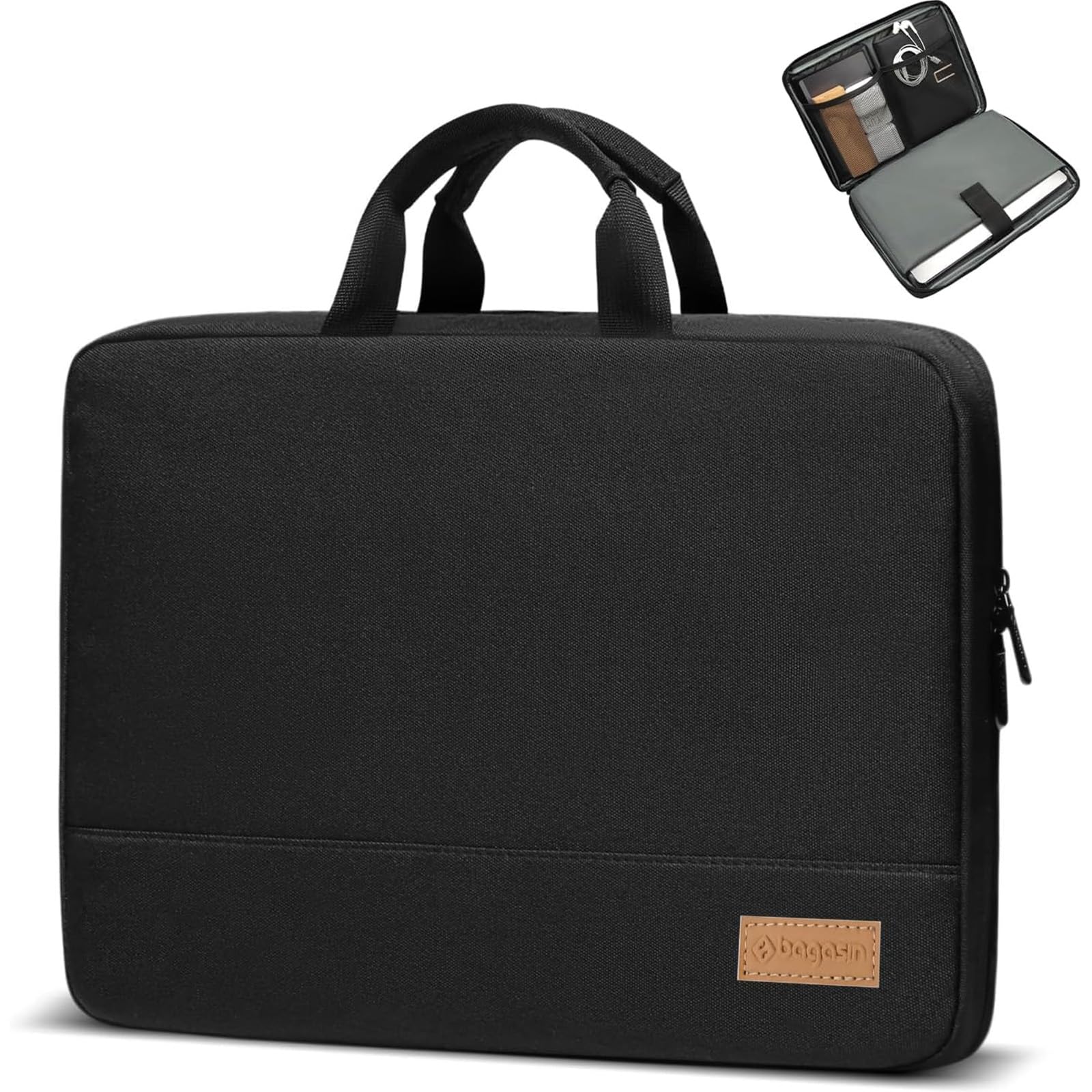
Where bulkier cases force laptop removal at security checkpoints, this sleeve’s TSA-friendly top handle keeps it flat in the bin, speeding up transit without breaking your stride. The water-resistant nylon shell is thin enough to disappear into a carry-on yet stubborn enough to shed light rain, and the whole package stays unobtrusive at barely more than half a pound.

Internal mesh pockets eliminate the need for a separate accessory pouch — a charger and mouse tuck neatly into the lid without bulging out. The fit is deliberately sized for 15 to 16-inch machines, including thicker gaming laptops and older workstations, so the sleeve grips the corners instead of letting them slide around.

Padding is where this sleeve draws its line: the foam buffers scratches and casual bumps, not waist-high drops. Travelers who just want to avoid scuffs on a commute or slide the laptop under an airplane seat will find it adequate. Anyone who routinely tosses their bag onto overhead bins or values crush-proof corner defense should consider the heavier duty tomtoc instead.

💡 Sliding this sleeve into a padded backpack compartment adds a second layer of drop protection for unpredictable travel.

Pros

  • TSA-friendly top handle allows the sleeve to lay flat through airport scanners without removing the laptop.
  • Mesh interior pockets keep a charger, cable, and mouse organized and easy to reach.
  • Snug internal dimensions hold 15-16 inch laptops securely, even thicker models.
  • Water-resistant nylon exterior protects against splashes and light rain.

Cons

  • Padding is thin and intended only for scratch and bump protection
Our verdict

For travelers who want a slim, TSA-friendly sleeve with a handle and a bit of organization for a large laptop, this Ytonet covers everyday bumps at a budget-friendly price. If corner-drop defense is non-negotiable, the tomtoc with CornerArmor gives you that at a higher cost.

Check Latest Price
4

Best Organizer for Business Travel

MOSISO 360 16" Case

96 /100
Traveler Score Outstanding

Key details

External Pockets
4 front zip pockets
Weight & Slimness
Padding & Drop Protection
360 reinforced, foam padding
Material & Water Resistance
Polyester/PVC
Check Details on Amazon

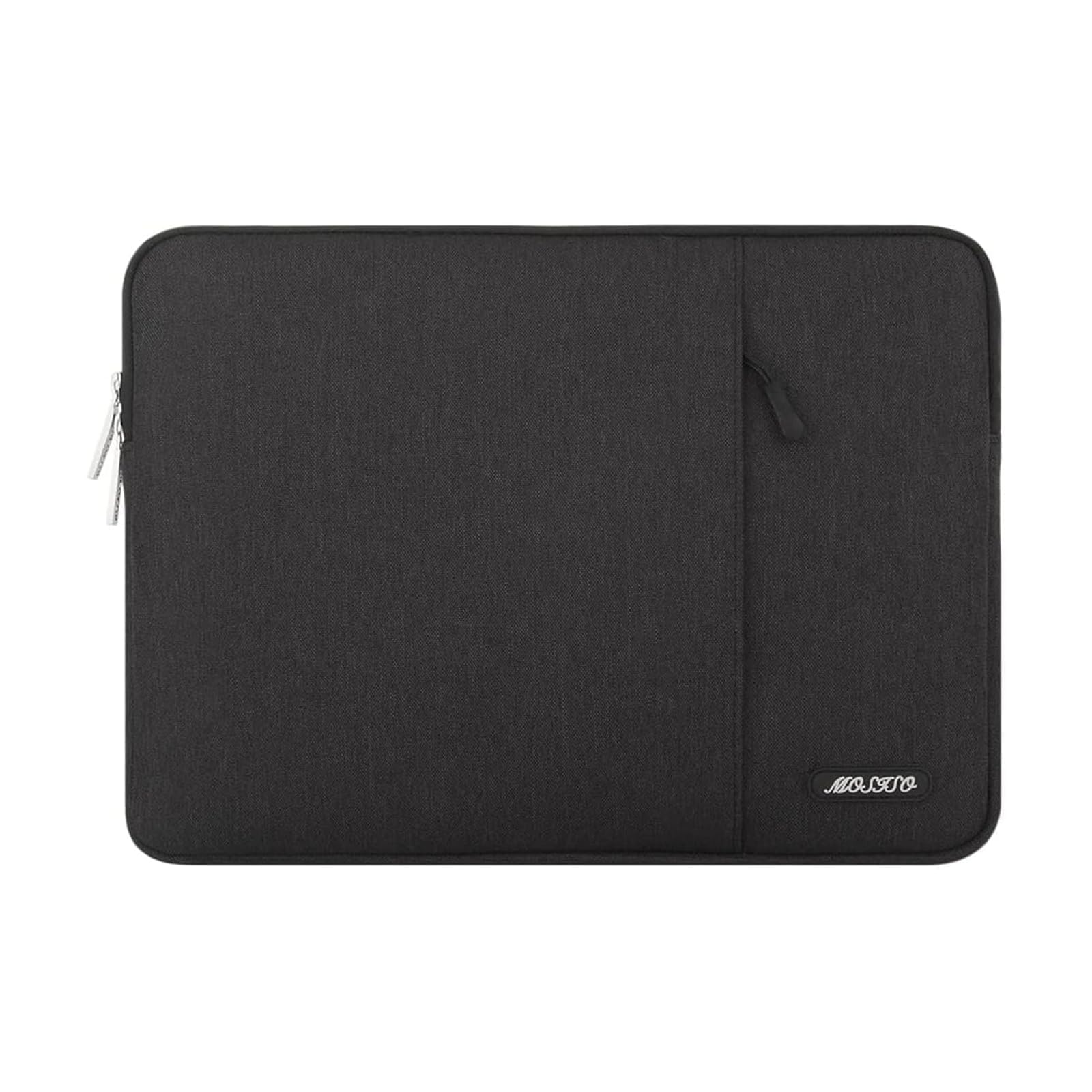
Four zip pockets, an extendable handle, and a back trolley strap turn this sleeve into a mini-carry-all for business travel. The top pick focuses on corner drop protection and minimal bulk, but this sleeve puts organization first — you can stow a charger, mouse, cables, and documents without reaching for a separate bag.

360-degree reinforced edges and closed-cell foam padding hold a 15–16 inch laptop securely, preventing shifting during transit. The polyester exterior feels robust without added weight, and the handle is stitched to hold up to repeated lifting.

The trade-off for all those pockets is thickness. When fully loaded, the sleeve becomes bulkier than a simple slipcase and may not slide into a tightly packed briefcase. Travelers who want a single grab-and-go pouch for laptop and accessories will appreciate the convenience; those who prefer a flat, minimalist profile will find the extra material unnecessary.

💡 When packed flat with only a laptop, the pockets add minimal bulk — overstuffing them is what exaggerates the thickness.

Pros

  • Four front zip pockets keep charger, mouse, and documents organized without a separate bag.
  • Reinforced edges and foam padding provide all-around protection against bumps.
  • Extendable handle and back trolley strap make airport navigation easy.
  • Polyester build feels premium and withstands daily travel wear.

Cons

  • The multiple pockets add noticeable thickness, making the sleeve bulkier than a streamlined slipcase
Our verdict

For the frequent flyer juggling accessories who wants a single pouch instead of a separate bag, this sleeve’s organization more than justifies its thickness.

Check Latest Price
5

Best Hard-Shell Protection

FINPAC 13" Hard Sleeve

92 /100
Traveler Score Outstanding

Key details

External Pockets
Weight & Slimness
Padding & Drop Protection
5mm padding, 360° shockproof
Material & Water Resistance
EVA shell, water-resistant
Check Details on Amazon

The FINPAC sleeve uses a semi-rigid EVA shell and YKK zippers to create a crush-resistant barrier for MacBooks and similar 13-inch laptops. Where style-focused cases lean on leather aesthetics, this one builds protection first — dense padding and a rigid frame absorb impacts that would dent an unprotected device.

Inside, 5mm of shock-absorbing foam surrounds the laptop, cushioning corners on all sides. The sleeve fits snugly into most backpacks, preventing shifting during walks or train rides. The water-resistant polyester exterior shrugs off rain, and the hand strap makes it easy to grab from overhead bins.

Travelers who toss laptops into checked luggage or endure jostling commutes will find the extra protection worth the weight. The sleeve is heavier than a basic neoprene pouch — a conscious tradeoff for the rigid shell. If your priority is keeping the laptop safe from drops and crushes, the added mass is an acceptable cost. Ultralight packers and those who value slimness above all should look at the softer options in this set.

💡 Keep a soft sleeve for light trips and reserve this one for high-risk travel — the added grams only make sense when protection is non-negotiable.

Pros

  • Hard-shell construction with shock-absorbing foam cushions against drops.
  • YKK zippers and robust build quality withstand daily transport without snagging.
  • Snug fit inside backpacks keeps the laptop stable and reduces anxiety during transit.

Cons

No notable drawbacks to flag.

Our verdict

If you travel where drops are likely and grams don’t dictate your packing, this sleeve earns its place.

Check Latest Price
6

Best Stylish Leather Sleeve

Comfyable Leather Sleeve

95 /100
Traveler Score Outstanding

Key details

External Pockets
Weight & Slimness
Slim profile
Padding & Drop Protection
EPE foam, protective flap
Material & Water Resistance
PU leather, waterproof
Check Details on Amazon

The Comfyable sleeve leans into a clean, accessory-free profile. The PU leather exterior repels drizzle and scuffs while maintaining a leather-like finish, and at a fraction of the weight. Where other travel sleeves add handles or stash pockets, this one strips back to a slim, slide-in design that slips easily into a backpack or tote without adding heft.

Protection centers on scratch defense, not dropproofing. The microfiber lining and a zipper guard flap keep the laptop's finish pristine, while the EPE foam padding softens everyday bumps inside a bag. This is a cover for sliding alongside books and cables, not for standalone shock absorption on a baggage belt.

Fashion-conscious travelers who want a sleeve that reads like a premium accessory will appreciate the brown leather look. The absence of an external pocket means you'll carry chargers or a mouse separately. Fit can be hit-or-miss: some MacBook Air 13 owners get a snug wrap, while MacBook Pro 14 users may find it slightly roomy — checking your laptop's dimensions against the sleeve's interior before ordering keeps expectations realistic.

💡 Measure your laptop's width and thickness against the sleeve's interior dimensions before purchase — especially if using a MacBook Pro 14, which may fit less snugly.

Pros

  • Stylish PU leather exterior resists water and maintains a premium appearance
  • Microfiber lining and inner zipper flap prevent scratches during transit
  • Consistent build quality with clean stitching and durable materials

Cons

  • No external pocket for accessories like a charger or mouse
Our verdict

For the style-focused traveler who values scratch protection and a premium appearance over extra storage or a guaranteed glove-like fit, this sleeve delivers.

Check Latest Price
7

Accessory Pouch Set

Mosiso 13.3" w/Pouch

93 /100
Traveler Score Outstanding

Key details

External Pockets
Weight & Slimness
Slim
Padding & Drop Protection
Neoprene foam padding
Material & Water Resistance
Neoprene, water repellent
Check Details on Amazon

This MOSISO set bundles a foam-padded neoprene sleeve with a fleece lining and a water-resistant exterior, along with a matching pouch for a charger or mouse — all at one low cost. The interior feels cushioned and absorbs bumps, while the neoprene exterior shrugs off splashes. The catch is that internal dimensions are generous, leaving extra space around slim 13-inch laptops like the MacBook Air. The device can shift during travel, which undercuts the protective snugness you'd expect. Thicker notebooks or laptops kept in a secondary case naturally fill the space, turning the roomier cut into a practical asset rather than a shortcoming.

Pros

  • Soft, fleece-lined interior cushions against bumps and minor drops.
  • Water-resistant neoprene exterior protects from light splashes and spills.
  • Includes a matching pouch, adding storage for charger or mouse without extra cost.

Cons

  • Sleeve interior can be too roomy for slim 13-inch laptops like MacBook Air, allowing the device to shift inside.
Our verdict

This set makes sense for someone with a thicker 13.3-inch laptop or a protective case already on the device — the loose fit becomes an advantage, and the extra pouch is a handy addition at a low cost.

Check Latest Price
8

Budget 13-Inch

Naukay 13.3" Sleeve

93 /100
Traveler Score Outstanding

Key details

External Pockets
1 front vertical pocket
Weight & Slimness
Padding & Drop Protection
3-layer shockproof
Material & Water Resistance
Waterproof Oxford
Check Details on Amazon

Thick shock-absorbing padding cushions bumps and drops, while the soft plush interior prevents scratches. The water-resistant Oxford exterior shrugs off spills and light rain. A vertical front pocket fits a charger and mouse without adding bulk. The fit is slightly loose on ultra-slim MacBook Air models, making it better suited for standard 13-14 inch laptops — a trade-off that budget-conscious commuters and students can accept for this level of protection.

💡 Measure your laptop and compare it to the sleeve's internal dimensions to confirm a snug fit.

Pros

  • Thick 3-layer padding absorbs shocks and bumps effectively.
  • Soft plush lining and water-resistant exterior shield against scratches and moisture.
  • Front pocket holds charger and mouse without adding bulk.

Cons

  • Fit can feel slightly loose for ultra-slim MacBook Air models
Our verdict

At a budget-friendly price, this sleeve suits commuters and students with standard 13-14 inch laptops who want strong cushioning and a handy pocket and can tolerate a relaxed fit over a glove-like hold.

Check Latest Price
9

Budget 15-Inch

AREYLO 15.6" Sleeve

94 /100
Traveler Score Outstanding

Key details

External Pockets
1 front pocket
Weight & Slimness
Slim, lightweight
Padding & Drop Protection
Basic padding
Material & Water Resistance
Neoprene
Check Details on Amazon

The AREYLO sleeve gives a 15.6-inch laptop a slim, lightweight layer of neoprene that slips into a backpack and fends off scratches and minor bumps. A front pocket stashes a charger or cables. The design keeps things minimal, but the zipper is the tradeoff: it can start to snag or split with frequent use, so daily commuters who zip and unzip several times a day should look elsewhere. For a student or occasional traveler who simply needs a cheap protective layer and handles the zipper with care, this sleeve works — just don’t expect durability under regular strain.

💡 To prolong zipper life, open and close with a straight pull and avoid cramming the sleeve into an overstuffed bag.

Pros

  • Offers a snug fit for most 15-16 inch laptops at a very low price.
  • Neoprene padding adds a soft buffer against scratches and scuffs.
  • Slim profile and light weight let it slide into a backpack without adding bulk.

Cons

  • Zipper may start to snag or fail with daily opening and closing, limiting long-term reliability.
Our verdict

Fits the bill for a student or light traveler who needs an inexpensive laptop sleeve for occasional use and is careful with the zipper.

Check Latest Price

How to Choose

Material and Water Resistance

Polyester, neoprene, and oxford fabric each resist moisture differently. A 'water-resistant' coating deflects splashes, but prolonged rain can seep through seams. Fully waterproof materials like coated oxford keep liquid out, yet they may trap heat inside the bag — a minor trade-off for travelers who face downpours.

Check for sealed zippers and reinforced stitching around openings, because water often enters where panels join. Neoprene sleeves offer some stretch but lose water repellency once the outer layer wears.

Padding and Drop Protection

Corner reinforcement matters more than foam thickness. A laptop can survive a flat drop with basic padding, but corner impacts concentrate force and dent aluminum. Military-grade designs like CornerArmor use energy-absorbing bumpers in the corners while keeping the rest of the sleeve slim — a hidden advantage over uniform thick foam that adds bulk without targeting the most vulnerable spots.

Hard-shell EVA cases offer crush resistance for rough handling, but they weigh more and take up more pack space. For carry-on travel, a snug sleeve with reinforced corners often provides sufficient protection without the extra weight.

Weight and Backpack Fit

A sleeve that slides easily into a fully packed backpack can save minutes at security. Ultralight neoprene sleeves are easiest to slip in and out, but they provide little impact protection. Heavier materials like EVA or multiple welted layers add protection at the cost of grams and millimeters. The right balance depends on whether you prioritize grab-and-go speed or drop security.

Sleeves with handles and multiple pockets naturally weigh more, so factor those features only if you'll use them. For minimalist one-bag travelers, a simple, light sleeve often works best.

External Pockets

A front pocket that holds a charger and cable eliminates the need for a separate pouch, but it adds thickness and can snag when pulling the sleeve from a crowded backpack. If you already carry a tech organizer, a pocketless sleeve keeps the profile clean. For daily commutes, a single flat pocket that sits flush is a practical compromise.

Pocket placement also matters: vertical pockets won't dump contents when you unzip the main compartment, while horizontal pockets risk spills. Check the pocket depth — shallow ones won't hold a compact power brick.

Handles and Trolley Straps

A handle makes lifting the sleeve from a deep bag quick, but it is also a potential failure point. Stitching around handles can tear under frequent use, especially on budget models. Look for reinforced bar tacking or a trolley strap that slides over luggage handles without stressing a single attachment point.

A trolley strap adds no bulk when stored flat and keeps the sleeve securely on a rolling suitcase — handy for airport runs. A built-in handle is best for those who often carry the sleeve standalone; if you always slide it into a backpack, a strap or no handle is often better.

Frequently Asked Questions